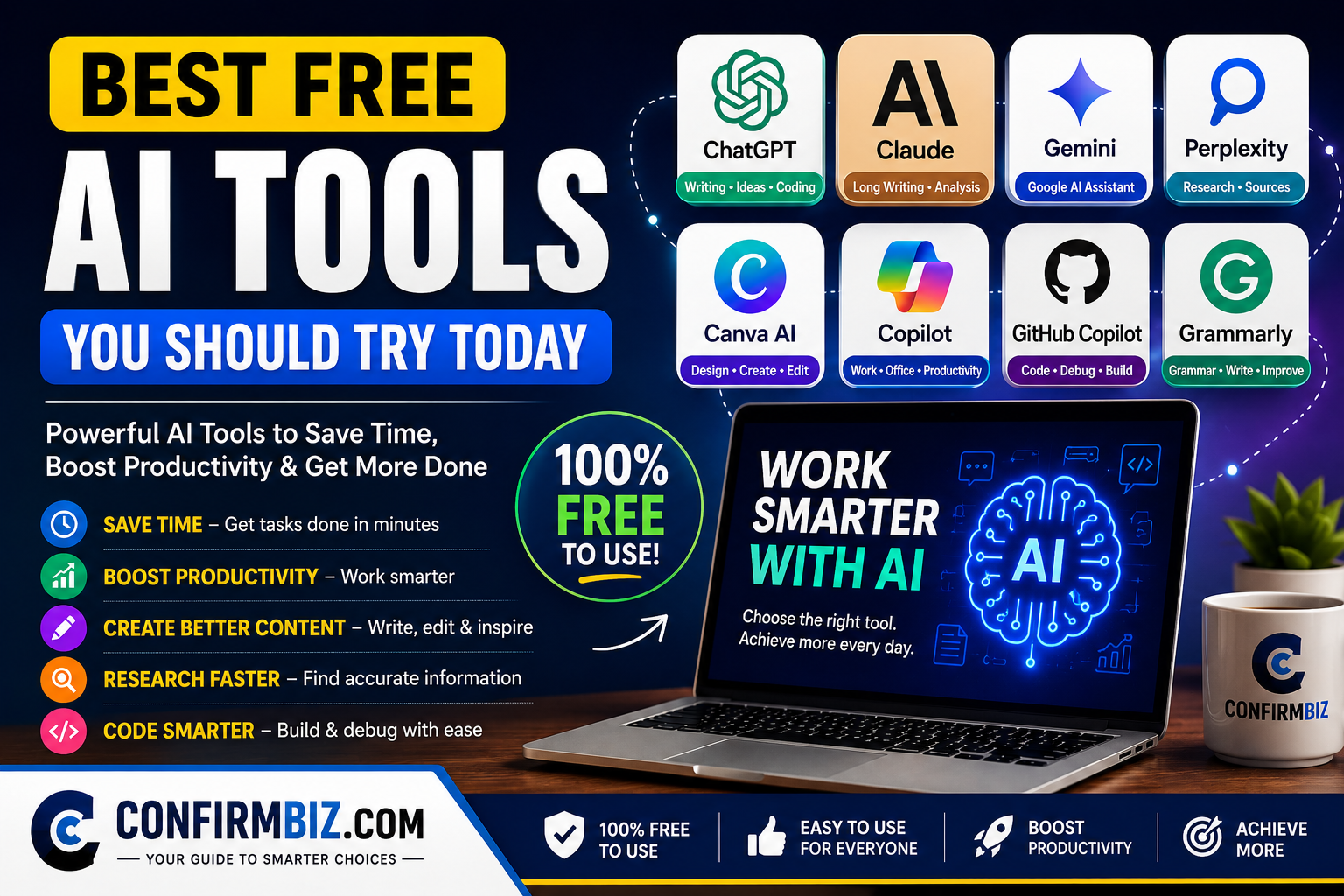
Best Free AI Tools You Should Try Today (2026 Ultimate Guide)
Artificial Intelligence (AI) has become one of the biggest productivity breakthroughs of the decade. What once required expensive software, technical skills, or hours of manual work can now be completed in minutes with the help of AI.
Whether you’re a student trying to complete assignments faster, a blogger creating SEO-friendly articles, a business owner looking to automate tasks, a designer producing graphics, or a professional managing daily workloads, there is an AI tool that can make your work easier.
The best part? Many of today’s leading AI platforms offer generous free plans that provide enough features for everyday users without requiring a paid subscription.
In this comprehensive guide, we’ll explore the best free AI tools you should try today, compare their strengths and weaknesses, explain who each tool is best suited for, and help you decide which one deserves a place in your workflow.
This guide is written for beginners and experienced users alike, using simple language and practical examples to help you make informed decisions.
Quick Overview
- ✅ Best Overall AI Tool: ChatGPT
- ✅ Best for Research: Perplexity AI
- ✅ Best for Long Writing: Claude AI
- ✅ Best for Google Users: Google Gemini
- ✅ Best for Graphic Design: Canva AI
- ✅ Best for Grammar: Grammarly AI
- ✅ Best for Microsoft Users: Microsoft Copilot
- ✅ Best for Note Taking: Notion AI
- ✅ Best for Coding: GitHub Copilot
- ✅ Best All-in-One Productivity: ChatGPT
Why Free AI Tools Have Become So Popular
AI has moved far beyond being a trend. It is now helping millions of people save time, reduce costs, improve creativity, and increase productivity in almost every industry.
Instead of spending hours researching information, editing documents, designing graphics, or brainstorming ideas, AI can generate useful results within seconds.
Here are some everyday tasks AI can help you complete:
- Writing blog posts
- Creating business plans
- Generating marketing content
- Answering customer questions
- Summarizing documents
- Creating presentations
- Generating images
- Writing emails
- Improving grammar
- Coding websites and applications
- Researching complex topics
- Learning new skills
The availability of free plans has made these tools accessible to students, freelancers, startups, creators, and small businesses around the world.
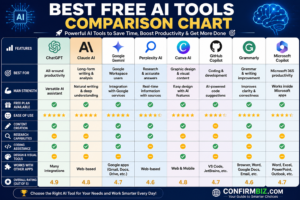
Best Free AI Tools Comparison Chart
If you’re short on time, this comparison chart provides a quick overview of the leading free AI tools, their strengths, and the types of users they’re best suited for. Continue reading below for detailed reviews of each tool.
How We Selected These AI Tools
Hundreds of AI applications are available online, but not all of them provide real value. Some have limited functionality, while others lock their best features behind expensive subscriptions.
For this guide, we evaluated each AI tool using several important criteria:
- Ease of use
- Quality of AI responses
- Accuracy
- Free plan availability
- Speed and performance
- Security and privacy
- Productivity features
- Popularity among users
- Regular updates
- Overall value for money (including free plans)
Our goal is not simply to list popular AI tools, but to recommend platforms that genuinely help users solve real problems.
Complete Comparison Table
| AI Tool | Best For | Free Version | Ease of Use | Overall Rating |
|---|---|---|---|---|
| ChatGPT | Writing, coding, research, productivity | Yes | ★★★★★ | 9.9/10 |
| Claude AI | Long-form writing & document analysis | Yes | ★★★★★ | 9.8/10 |
| Google Gemini | Google Workspace integration | Yes | ★★★★★ | 9.7/10 |
| Perplexity AI | Research & fact finding | Yes | ★★★★★ | 9.7/10 |
| Canva AI | Graphic design | Yes | ★★★★★ | 9.6/10 |
| Grammarly AI | Grammar & editing | Yes | ★★★★★ | 9.5/10 |
| Microsoft Copilot | Office productivity | Yes | ★★★★★ | 9.4/10 |
| Notion AI | Workspace & note-taking | Limited | ★★★★★ | 9.3/10 |
| GitHub Copilot | Programming | Limited Free* | ★★★★☆ | 9.2/10 |
| Adobe Express AI | Image creation | Yes | ★★★★★ | 9.1/10 |
*Availability of free access for GitHub Copilot depends on eligibility (such as verified students, teachers, or maintainers of popular open-source projects) and current GitHub offerings.
Who Can Benefit From These AI Tools?
One of the biggest advantages of modern AI is its versatility. Different people can use the same tool in different ways depending on their goals.
Students
- Summarize textbooks
- Explain difficult concepts
- Create study notes
- Practice interview questions
- Generate revision quizzes
Bloggers and Content Creators
- Generate blog ideas
- Create article outlines
- Write SEO-friendly content
- Produce social media captions
- Brainstorm headlines and meta descriptions
Business Owners
- Create marketing campaigns
- Write professional emails
- Develop business proposals
- Analyze customer feedback
- Improve productivity with automation
Freelancers
- Create client proposals
- Improve writing quality
- Generate design concepts
- Research competitors
- Speed up repetitive tasks
Software Developers
- Write code faster
- Debug applications
- Generate documentation
- Learn new programming languages
- Improve coding efficiency
What to Look for in a Free AI Tool
Not all AI tools are built the same. Before choosing one, consider the following factors:
- Accuracy: Does it provide reliable and relevant responses?
- Ease of use: Is the interface beginner-friendly?
- Free plan limits: How much can you do before upgrading?
- Privacy: Does the service explain how your data is handled?
- Speed: Can it generate responses quickly?
- Integrations: Does it work with the apps you already use?
- Regular updates: Is the tool actively maintained and improved?
- Value: Does the free version provide meaningful functionality?
What’s Coming Next
Now that you understand how we selected these tools and how they compare at a glance, it’s time to take a closer look at each one.
In the next section, we’ll begin with the top five free AI tools, explaining their features, strengths, limitations, pricing, practical use cases, and who should use them. This detailed breakdown will help you choose the right AI tool based on your specific needs rather than simply picking the most popular option.
1. ChatGPT – The Best Free AI Tool for Everyday Productivity
If you’re new to artificial intelligence and wondering where to begin, ChatGPT is the best place to start. Developed by OpenAI, ChatGPT has become one of the most widely used AI assistants in the world because of its ability to handle a wide variety of tasks—from writing and research to coding, brainstorming, and problem-solving.
Unlike traditional search engines that simply display a list of web pages, ChatGPT can understand your questions, provide conversational answers, generate content, explain complex topics in simple language, and even help you think through ideas step by step.
Whether you’re a student, blogger, entrepreneur, freelancer, marketer, software developer, or office worker, ChatGPT can significantly reduce the time spent on repetitive tasks and improve your productivity.
One of its biggest advantages is its ease of use. You simply type your request in plain English (or many other supported languages), and the AI responds within seconds. You don’t need any technical experience to get started.
ChatGPT Overview
| Developer | OpenAI |
|---|---|
| Category | AI Chatbot & Productivity Assistant |
| Free Plan | Yes |
| Paid Plan | Available with additional features and higher usage limits |
| Best For | Writing, brainstorming, coding, research, learning, business, productivity, and content creation |
| Ease of Use | ★★★★★ (5/5) |
| Overall Rating | 9.9/10 |
What Makes ChatGPT Special?
Most AI tools focus on one specific task, such as graphic design, grammar checking, or image generation. ChatGPT stands out because it performs well across many different areas.
Instead of switching between several apps, you can use ChatGPT for writing, planning, coding, research, learning, and creative brainstorming—all from one interface.
Its conversational style also makes it feel like you’re working with a knowledgeable assistant rather than using a traditional software application.
Key Features of ChatGPT
- Generate high-quality articles and blog posts
- Create SEO-friendly content outlines
- Write emails, business proposals, and reports
- Summarize long articles and documents
- Translate text into multiple languages
- Explain difficult concepts in simple terms
- Generate programming code in many languages
- Debug existing code and suggest improvements
- Create social media captions and marketing copy
- Brainstorm business ideas and startup plans
- Create product descriptions for e-commerce stores
- Generate interview questions and answers
- Create study guides and revision notes
- Assist with resume writing and cover letters
- Help plan projects, schedules, and workflows
- Generate spreadsheets, formulas, and calculations
- Answer general knowledge questions
- Assist with creative writing and storytelling
Real-World Uses of ChatGPT
For Bloggers
Bloggers can use ChatGPT to speed up almost every stage of content creation. It can help generate blog ideas, keyword suggestions, article outlines, introductions, meta descriptions, FAQs, and even social media posts for promoting published content.
While AI-generated drafts should always be reviewed and edited for originality, accuracy, and your own expertise, ChatGPT can dramatically reduce the time required to produce high-quality content.
For Students
Students can ask ChatGPT to explain complex topics, summarize textbooks, solve practice questions, create revision notes, and generate quizzes for self-study. It’s also useful for improving writing skills and preparing for interviews or presentations.
For Business Owners
Small business owners often wear many hats. ChatGPT can help write marketing emails, draft business plans, create customer support responses, generate advertising ideas, and produce professional documents without hiring multiple specialists.
For Developers
Programmers use ChatGPT to generate sample code, explain programming concepts, troubleshoot errors, optimize algorithms, and learn new programming languages faster.
For Freelancers
Freelancers can use ChatGPT to prepare proposals, negotiate with clients, improve communication, organize projects, and automate repetitive writing tasks.
Advantages of Using ChatGPT
- Very beginner-friendly interface
- Excellent writing quality
- Fast response times
- Supports many different tasks
- Useful for both personal and professional work
- Regularly updated with new capabilities
- Available on desktop and mobile devices
- Can assist with coding, writing, research, planning, and learning
- Saves significant time on repetitive work
- Offers a capable free version for everyday use
Disadvantages of ChatGPT
- Some advanced features require a paid subscription.
- Responses can occasionally contain mistakes or outdated information, especially on rapidly changing topics. Always verify important facts with reliable sources.
- The quality of the output depends heavily on how clearly you write your prompt.
- Free users may experience usage limits during periods of high demand.
ChatGPT Pricing
| Plan | Price | What You Get |
|---|---|---|
| Free | $0 | Access to ChatGPT with generous daily usage and core AI features. |
| Paid Plans | Varies by subscription tier and region. | Higher usage limits, access to more advanced models and additional features, depending on the plan. |
Note: OpenAI updates its plans and available features from time to time. Check the official pricing page for the latest information before subscribing.
Who Should Use ChatGPT?
- Bloggers
- Content creators
- Students
- Teachers
- Business owners
- Entrepreneurs
- Digital marketers
- Software developers
- Researchers
- Freelancers
- Job seekers
- Customer support teams
- Anyone looking to improve daily productivity
Expert Tips for Getting Better Results
To get the most value from ChatGPT, avoid asking very broad questions. Instead of writing “Write an article about AI”, provide clear instructions such as:
“Write a 2,500-word beginner-friendly blog post about the best free AI tools in 2026. Include SEO headings, comparison tables, FAQs, and practical examples.”
The more context you provide—including your target audience, desired tone, length, and formatting—the more useful and tailored the response is likely to be.
How ChatGPT Compares to Traditional Search Engines
| Feature | ChatGPT | Traditional Search Engine |
|---|---|---|
| Conversational Answers | ✅ Yes | ❌ No |
| Writes Original Content | ✅ Yes | ❌ No |
| Summarizes Information | ✅ Yes | Limited |
| Brainstorms Ideas | ✅ Yes | ❌ No |
| Generates Code | ✅ Yes | Limited |
| Provides Lists of Web Pages | Limited | ✅ Yes |
Our Verdict on ChatGPT
ChatGPT earns the top position on this list because of its versatility, ease of use, and ability to assist with an impressive range of everyday tasks. Whether you’re writing articles, planning a business, learning a new skill, generating code, or organizing your workflow, it delivers consistent value through its free plan.
No AI tool is perfect, and it’s important to review AI-generated content for accuracy and add your own expertise. However, for most users, ChatGPT is an excellent starting point and remains one of the most useful free AI tools available today.
Quick Summary
Best For: Almost everyone
Free Version: ✅ Yes
Ease of Use: ★★★★★
Value for Money: ★★★★★
Overall Rating: 9.9/10
2. Claude AI – The Best Free AI Tool for Long-Form Writing and Deep Thinking
If your work involves writing detailed reports, analyzing lengthy documents, brainstorming ideas, or producing high-quality long-form content, Claude AI deserves a place in your toolkit.
Developed by Anthropic, Claude AI has gained a strong reputation for generating natural, well-structured responses that often read more like something written by a human than a machine. It is particularly good at understanding context, following detailed instructions, and maintaining a consistent tone throughout long conversations.
Unlike some AI assistants that perform best with short prompts, Claude shines when handling complex tasks such as reviewing contracts, summarizing research papers, analyzing business reports, creating comprehensive articles, and assisting with strategic planning.
For writers, students, researchers, entrepreneurs, and professionals who regularly work with large amounts of text, Claude AI is one of the strongest free AI tools available today.
Claude AI Overview
| Developer | Anthropic |
|---|---|
| Category | AI Writing Assistant & Conversational AI |
| Free Plan | Yes |
| Paid Plan | Available with higher usage limits and access to additional models and features |
| Best For | Long-form writing, document analysis, brainstorming, business planning, research, and professional communication |
| Ease of Use | ★★★★★ (5/5) |
| Overall Rating | 9.8/10 |
Why Claude AI Stands Out
One of Claude AI’s biggest strengths is its ability to understand lengthy prompts and maintain context throughout a conversation. This makes it particularly useful for projects that require multiple revisions or detailed instructions.
For example, instead of asking Claude to simply “write an article,” you can provide a detailed outline, writing style, target audience, SEO goals, and formatting instructions. Claude generally does an excellent job of following these instructions while producing coherent and readable content.
Many professionals also appreciate Claude’s calm, organized writing style, making it a valuable assistant for drafting reports, proposals, presentations, and other business documents.
Key Features of Claude AI
- Create detailed blog posts and articles
- Summarize lengthy documents and reports
- Analyze PDFs and large text files (where supported)
- Generate business plans and proposals
- Write professional emails and letters
- Brainstorm creative ideas and marketing campaigns
- Rewrite content for clarity and readability
- Assist with coding and debugging
- Explain technical concepts in simple language
- Create study guides and educational materials
- Translate text between multiple languages
- Maintain context across longer conversations
- Help with strategic planning and decision-making
Real-World Uses of Claude AI
For Bloggers and Writers
Claude AI is excellent for creating detailed articles, editing drafts, improving readability, and expanding short ideas into comprehensive content. Its responses often require fewer edits than many other AI writing tools, making it a favorite among content creators.
For Researchers
Researchers can use Claude to summarize academic papers, compare information from different sources, identify key findings, and organize large amounts of text into concise notes.
For Business Professionals
Business owners and managers can draft proposals, write reports, prepare presentations, analyze documents, and develop strategic plans more efficiently with Claude AI.
For Students
Students can ask Claude to explain difficult concepts, summarize textbooks, generate practice questions, and provide feedback on essays or assignments.
For Marketing Teams
Marketing professionals can use Claude to generate campaign ideas, create email sequences, draft landing page copy, and brainstorm content calendars.
Key Features Explained
1. Long-Form Content Creation
Claude excels at producing detailed, organized, and easy-to-read content. Whether you’re writing a 3,000-word blog post or a comprehensive business report, it maintains consistency from beginning to end.
2. Document Analysis
Claude is particularly useful for reviewing long documents, extracting key information, identifying trends, and simplifying complex material.
3. Natural Writing Style
Many users appreciate Claude’s ability to generate text that sounds conversational rather than robotic. This is especially valuable for professional writing and customer-facing content.
4. Context Awareness
Claude remembers the flow of longer conversations better than many AI assistants, making it easier to build on previous instructions without repeating yourself.
Advantages of Claude AI
- Produces natural, human-like writing
- Excellent for long-form content
- Handles detailed prompts very well
- Strong document analysis capabilities
- Simple and clean user interface
- Great for brainstorming and strategic thinking
- Supports a generous free plan
- Useful for both personal and professional projects
- Maintains context during extended conversations
Disadvantages of Claude AI
- Free users may encounter usage limits during busy periods.
- Some advanced features are reserved for paid subscribers.
- Like all AI tools, Claude can make mistakes or provide inaccurate information, so important facts should always be verified using reliable sources.
- It may not always have access to the latest real-time information unless specific connected features are available.
Claude AI Pricing
| Plan | Price | Features |
|---|---|---|
| Free | $0 | Access to Claude with daily usage limits and core AI capabilities. |
| Paid Plans | Varies by subscription tier and region. | Higher usage limits, access to more advanced models, and additional productivity features. |
Note: Anthropic periodically updates its pricing and plan features. Always check the official Claude AI website for the latest details.
Who Should Use Claude AI?
- Professional writers
- Bloggers
- Students
- Researchers
- Business owners
- Entrepreneurs
- Consultants
- Marketing professionals
- Editors
- Teachers
- Anyone working with long documents or detailed writing projects
Claude AI vs ChatGPT
| Feature | Claude AI | ChatGPT |
|---|---|---|
| Long-Form Writing | ★★★★★ | ★★★★★ |
| Creative Writing | ★★★★★ | ★★★★★ |
| Document Analysis | ★★★★★ | ★★★★☆ |
| Coding Assistance | ★★★★☆ | ★★★★★ |
| General Productivity | ★★★★★ | ★★★★★ |
| Ease of Use | ★★★★★ | ★★★★★ |
Our Take: Claude AI is an outstanding choice for users who spend most of their time writing, editing, analyzing documents, or working on detailed projects. ChatGPT remains the more versatile all-round assistant, while Claude often shines in long-form writing and document-focused tasks. Many professionals use both tools together to take advantage of their respective strengths.
Tips for Getting the Best Results from Claude AI
- Provide detailed instructions instead of short prompts.
- Specify your target audience and desired tone.
- Break large projects into smaller sections for easier review.
- Ask Claude to explain its reasoning or improve earlier drafts.
- Review AI-generated content carefully before publishing or making important decisions.
Our Verdict on Claude AI
Claude AI is one of the best free AI tools available for users who prioritize thoughtful writing, document analysis, and detailed conversations. Its ability to understand complex instructions and produce clear, well-organized responses makes it an excellent companion for professionals, students, bloggers, and business owners.
While no AI assistant is perfect, Claude consistently delivers high-quality results across a wide range of writing and analytical tasks. If your workflow revolves around long-form content or document-heavy projects, Claude AI is a tool well worth trying.
Quick Summary
Best For: Long-form writing and document analysis
Free Version: ✅ Yes
Ease of Use: ★★★★★
Value for Money: ★★★★★
Overall Rating: 9.8/10
Head-to-Head Comparison: Which AI Tool Is Right for You?
Choosing the right AI tool isn’t always easy. Many of today’s leading AI assistants can write articles, answer questions, summarize documents, generate ideas, and help with everyday work. However, each platform has its own strengths.
Instead of asking “Which AI tool is the best?”, the better question is “Which AI tool is the best for my specific needs?”
In this section, we’ll compare the most popular free AI tools side by side so you can quickly identify which one fits your workflow.
ChatGPT vs Claude AI
ChatGPT and Claude AI are two of the most capable general-purpose AI assistants available today. Both can help with writing, brainstorming, coding, research, learning, and productivity, but they tend to excel in different areas.
| Feature | ChatGPT | Claude AI |
|---|---|---|
| General Productivity | ★★★★★ | ★★★★★ |
| Creative Writing | ★★★★★ | ★★★★★ |
| Long Documents | ★★★★★ | ★★★★★ |
| Business Writing | ★★★★★ | ★★★★★ |
| Coding Assistance | ★★★★★ | ★★★★☆ |
| Ease of Use | ★★★★★ | ★★★★★ |
| Free Plan | Yes | Yes |
Choose ChatGPT If:
- You need one AI tool for many different tasks.
- You frequently write code or troubleshoot programming issues.
- You want help with brainstorming, planning, learning, and content creation.
- You prefer a highly versatile AI assistant.
Choose Claude AI If:
- You work with long reports or large documents.
- You spend a lot of time writing articles or business documents.
- You want detailed, well-structured responses.
- You value a conversational writing style.
Google Gemini vs ChatGPT
Google Gemini is Google’s AI assistant and integrates well with services such as Google Search, Gmail, Docs, and Drive. ChatGPT, on the other hand, is designed as a broad AI assistant that supports a wide variety of creative and professional tasks.
| Feature | Google Gemini | ChatGPT |
|---|---|---|
| Google Workspace Integration | ★★★★★ | ★★★★☆ |
| Writing | ★★★★★ | ★★★★★ |
| Coding | ★★★★☆ | ★★★★★ |
| Brainstorming | ★★★★★ | ★★★★★ |
| Research Assistance | ★★★★★ | ★★★★★ |
| Productivity | ★★★★★ | ★★★★★ |
Choose Gemini If:
- You already use Gmail, Google Docs, Sheets, and Drive every day.
- You want AI assistance within the Google ecosystem.
- You collaborate frequently using Google Workspace.
Choose ChatGPT If:
- You want a flexible AI assistant for a wide range of tasks.
- You regularly create long-form content.
- You need coding, planning, and business support in one place.
Perplexity AI vs ChatGPT
Although both tools answer questions, they serve slightly different purposes. Perplexity AI emphasizes research and typically provides answers with source citations, while ChatGPT focuses on conversation, content creation, and task assistance.
| Feature | Perplexity AI | ChatGPT |
|---|---|---|
| Research | ★★★★★ | ★★★★★ |
| Source Citations | ★★★★★ | Available on supported features and modes |
| Content Creation | ★★★★☆ | ★★★★★ |
| Writing Articles | ★★★★☆ | ★★★★★ |
| Idea Generation | ★★★★☆ | ★★★★★ |
Choose Perplexity AI If:
- You spend a lot of time researching topics.
- You want responses that include references to sources.
- You need quick summaries of current information.
Choose ChatGPT If:
- You create blog posts, marketing content, or business documents.
- You need help with brainstorming, coding, and planning.
- You want an AI assistant for a broad range of everyday tasks.
Canva AI vs Adobe Express AI
Both Canva AI and Adobe Express AI help users create graphics, social media posts, presentations, and marketing materials without advanced design skills.
| Feature | Canva AI | Adobe Express AI |
|---|---|---|
| Ease of Use | ★★★★★ | ★★★★☆ |
| Templates | ★★★★★ | ★★★★★ |
| Social Media Designs | ★★★★★ | ★★★★★ |
| Branding Tools | ★★★★★ | ★★★★★ |
| Learning Curve | Very Easy | Moderate |
Choose Canva AI If:
- You’re a beginner.
- You create social media graphics regularly.
- You want thousands of ready-made templates.
- You run a blog or small business.
Choose Adobe Express AI If:
- You already use Adobe Creative Cloud products.
- You want tighter integration with Adobe’s creative tools.
- You need additional image-editing capabilities.
Grammarly vs QuillBot
Both Grammarly and QuillBot improve writing, but they focus on different tasks.
| Feature | Grammarly | QuillBot |
|---|---|---|
| Grammar Checking | ★★★★★ | ★★★★☆ |
| Paraphrasing | ★★★★☆ | ★★★★★ |
| Sentence Rewriting | ★★★★★ | ★★★★★ |
| Writing Suggestions | ★★★★★ | ★★★★☆ |
| Academic Writing | ★★★★☆ | ★★★★★ |
Choose Grammarly If:
- You want to improve grammar, spelling, punctuation, and writing clarity.
- You write emails, reports, blog posts, or professional documents regularly.
- You need real-time writing suggestions across different apps and websites.
Choose QuillBot If:
- You frequently rewrite or paraphrase text.
- You need help expressing the same idea in different ways.
- You work with essays, reports, or academic content.
Quick Recommendation Table
| If You Need… | Recommended Tool |
|---|---|
| Best Overall AI Assistant | ChatGPT |
| Long-Form Writing | Claude AI |
| Research with Sources | Perplexity AI |
| Google Workspace Integration | Google Gemini |
| Graphic Design | Canva AI |
| Grammar and Proofreading | Grammarly |
Best AI Tools by Category: Which One Should You Choose?
Not every AI tool is designed for the same purpose. While many platforms can perform similar tasks, each one has strengths that make it better suited for certain users or workflows.
In this section, we’ve grouped the best free AI tools by category to help you quickly identify the right option based on your needs. Whether you’re a student, blogger, business owner, programmer, or designer, there’s an AI tool that can help you work smarter and save valuable time.
🏆 Best AI Tool for Students
Winner: ChatGPT
Students often juggle assignments, exams, presentations, and research projects. ChatGPT serves as a versatile study companion by helping explain difficult concepts, summarize study materials, create revision notes, generate practice questions, and assist with brainstorming ideas for essays or projects.
Rather than copying AI-generated answers, students should use ChatGPT as a learning aid. Asking it to explain concepts step by step or quiz you on a topic can improve understanding and retention.
Why It Stands Out
- Explains complex topics in simple language
- Generates study notes and flashcards
- Helps prepare for exams and interviews
- Supports many academic subjects
- Useful for brainstorming essays and presentations
Runner-up: Claude AI for analyzing long documents and drafting detailed essays.
✍️ Best AI Tool for Bloggers and Content Creators
Winner: ChatGPT
For bloggers, speed and consistency are essential. ChatGPT can help generate blog ideas, create SEO-friendly outlines, draft articles, write meta descriptions, develop FAQs, and even suggest social media captions to promote published content.
It also assists with brainstorming content calendars, rewriting paragraphs, and overcoming writer’s block. Remember to fact-check AI-generated content and add your own expertise before publishing.
Best Uses
- Keyword brainstorming
- Article outlines
- SEO content drafting
- Email newsletters
- Product descriptions
- Social media content
Runner-up: Claude AI for long-form articles and professional editing.
💼 Best AI Tool for Small Businesses
Winner: Microsoft Copilot
Small businesses often rely on Microsoft Word, Excel, Outlook, and PowerPoint. Microsoft Copilot integrates with many Microsoft 365 applications, making it useful for drafting emails, summarizing meetings, creating reports, analyzing spreadsheets, and improving workplace productivity.
If your business already operates within the Microsoft ecosystem, Copilot can streamline many everyday tasks.
Best Uses
- Professional emails
- Business reports
- Meeting summaries
- Spreadsheet assistance
- Presentation creation
Runner-up: ChatGPT for businesses that need a more general-purpose AI assistant.
💻 Best AI Tool for Programmers
Winner: GitHub Copilot
GitHub Copilot is designed specifically to assist developers by suggesting code, completing functions, explaining snippets, and helping identify errors. It supports many popular programming languages and integrates with several code editors.
Although it can speed up development, developers should still review generated code carefully to ensure correctness, security, and maintainability.
Best Uses
- Code completion
- Function generation
- Debugging assistance
- Learning programming languages
- Writing documentation
Runner-up: ChatGPT for explaining concepts, debugging, and generating code examples.
🎨 Best AI Tool for Graphic Designers
Winner: Canva AI
Canva AI combines ease of use with powerful design features, making it ideal for users without professional design experience. You can create social media graphics, presentations, posters, marketing materials, and more using templates and AI-assisted tools.
For bloggers and small business owners, Canva AI offers an efficient way to produce visually appealing content without learning complex design software.
Best Uses
- Social media graphics
- Blog feature images
- Presentations
- Business flyers
- Marketing materials
Runner-up: Adobe Express AI for users who already work with Adobe’s creative tools.
🔍 Best AI Tool for Research
Winner: Perplexity AI
Perplexity AI is particularly helpful for users who need to research topics efficiently. It is known for presenting answers alongside source references, making it easier to explore where information comes from and continue reading the original material.
Because online information changes over time, users should still evaluate cited sources critically, especially when making important academic, legal, financial, or medical decisions.
Best Uses
- Research projects
- Fact-finding
- Literature reviews
- Learning new topics
- Finding source material
Runner-up: ChatGPT for synthesizing information and explaining complex topics.
📈 Best AI Tool for Digital Marketing
Winner: ChatGPT
Digital marketers need to produce content quickly across multiple channels. ChatGPT can assist with creating ad copy, email campaigns, blog posts, social media captions, keyword ideas, customer personas, and marketing strategies.
Combined with analytics and human expertise, it can significantly reduce the time spent on campaign planning and content production.
Best Uses
- SEO content planning
- Advertising copy
- Email marketing
- Landing page content
- Marketing strategy brainstorming
Runner-up: Claude AI for long-form marketing documents and campaign planning.
🏢 Best AI Tool for Professionals
Winner: Claude AI
Professionals working with reports, proposals, documentation, and client communication often benefit from Claude AI’s ability to handle detailed instructions and maintain context across longer writing tasks.
Its structured writing style makes it well suited for professional environments where clarity and organization are important.
Best Uses
- Business reports
- Client proposals
- Professional correspondence
- Strategic planning
- Document review
Runner-up: Microsoft Copilot for users deeply integrated into Microsoft 365.
🏅 Best Overall Free AI Tool
Winner: ChatGPT
After comparing features, usability, flexibility, and overall value, ChatGPT remains our top recommendation for most users. It supports a broad range of tasks, is easy to learn, and provides a capable free plan suitable for students, bloggers, freelancers, business owners, and professionals.
That said, no single AI tool is the best for every situation. If your work is heavily focused on research, design, coding, or document analysis, you may benefit from using a combination of tools rather than relying on just one.
Quick Recommendation Summary
| Category | Best AI Tool | Why We Recommend It |
|---|---|---|
| Students | ChatGPT | Versatile learning, explanations, and study assistance. |
| Bloggers | ChatGPT | Excellent for content creation and SEO planning. |
| Business | Microsoft Copilot | Strong Microsoft 365 integration. |
| Programmers | GitHub Copilot | Purpose-built coding assistance. |
| Graphic Design | Canva AI | Easy-to-use AI-powered design tools. |
| Research | Perplexity AI | Research-focused responses with source references. |
| Marketing | ChatGPT | Content creation and campaign ideation. |
| Professional Writing | Claude AI | Strong long-form writing and document analysis. |
| Overall Winner | ChatGPT | Most versatile free AI assistant for everyday productivity. |
Can You Use More Than One AI Tool?
Absolutely. In fact, many professionals combine several AI tools to get the best results. For example:
- Use Perplexity AI to research a topic and gather sources.
- Use ChatGPT to create a detailed outline and first draft.
- Use Claude AI to improve readability and refine the writing.
- Use Grammarly to polish grammar and style.
- Use Canva AI to create eye-catching graphics for the final article.
This workflow combines the strengths of each platform and can help produce higher-quality results than relying on a single AI tool.
Advantages and Limitations of Free AI Tools
Artificial intelligence has changed the way people work, learn, and do business. Tasks that once took hours can now be completed in minutes with the help of AI-powered software. From writing articles and designing graphics to analyzing data and generating code, AI has become a valuable productivity partner.
However, while free AI tools offer incredible benefits, they are not perfect. Understanding both their strengths and limitations will help you use them more effectively and avoid common mistakes.
In this section, we’ll look at the biggest advantages of free AI tools, discuss their limitations, share practical safety tips, and explain how to get the best results from them.
Advantages of Free AI Tools
1. They Save Time
Perhaps the biggest benefit of AI is speed. Tasks that once required hours of manual work can often be completed in just a few minutes.
For example, instead of spending an hour brainstorming blog topics, an AI assistant can generate dozens of ideas almost instantly. Likewise, creating email drafts, summarizing documents, or writing product descriptions becomes much faster.
Examples
- Writing first drafts
- Generating meeting notes
- Summarizing long articles
- Creating presentations
- Planning projects
2. They Improve Productivity
AI doesn’t replace human expertise—it helps people work more efficiently by handling repetitive or time-consuming tasks.
This allows professionals to focus on strategic thinking, creativity, decision-making, and problem-solving instead of routine work.
Businesses can also use AI to improve workflows, respond to customer inquiries more quickly, and create content at scale.
3. They Reduce Costs
Many startups, freelancers, and small businesses operate on limited budgets. Free AI tools provide access to advanced capabilities without requiring expensive software subscriptions.
Instead of purchasing multiple applications for writing, brainstorming, editing, and research, users can accomplish many of these tasks with free AI tools.
4. They Help You Learn Faster
AI can explain difficult concepts in simple language, making it a valuable learning companion.
Whether you’re learning programming, digital marketing, finance, mathematics, or a new language, AI can provide examples, answer questions, and create personalized practice exercises.
Remember, AI should complement—not replace—reliable textbooks, instructors, and trusted educational resources.
5. They Increase Creativity
Many professionals use AI as a brainstorming partner.
Instead of staring at a blank page, writers can ask AI for headline ideas, outlines, marketing campaigns, social media posts, business names, or product descriptions.
The final creative decisions should still come from you, but AI can help overcome writer’s block and spark new ideas.
6. They Improve Communication
AI writing assistants can help improve grammar, spelling, sentence structure, clarity, and tone.
This is particularly useful when writing:
- Business emails
- Reports
- Cover letters
- Client proposals
- Marketing copy
- Blog posts
7. They Are Easy to Use
Most modern AI tools are designed for everyday users rather than technical experts.
You don’t need programming knowledge to start using AI. Simply type your request in plain language, and the assistant will generate a response.
This accessibility has made AI useful for students, teachers, entrepreneurs, creators, and professionals alike.
Limitations of Free AI Tools
Despite their many advantages, free AI tools also have limitations. Being aware of these can help you avoid costly mistakes.
1. AI Can Make Mistakes
AI-generated responses are not always accurate. Sometimes an AI assistant may misunderstand your request, provide incomplete information, or present incorrect facts with confidence.
For important decisions—especially involving health, finance, legal matters, or safety—you should always verify information using reliable sources.
2. Free Plans Have Usage Limits
Most AI companies offer free access with daily or monthly limits. During periods of high demand, you may encounter restrictions on how many prompts you can submit or which models you can use.
These limits vary by provider and may change over time.
3. Some Features Require Paid Plans
Advanced capabilities such as premium AI models, higher usage allowances, team collaboration tools, or specialized integrations are often reserved for paid subscribers.
For many users, however, the free plans remain sufficient for everyday tasks.
4. AI Lacks Human Judgment
Although AI can generate impressive content, it does not possess human experience, emotions, or real-world judgment.
It cannot replace professional advice from qualified experts in fields such as medicine, law, accounting, engineering, or financial planning.
5. Privacy Considerations
Some AI services may use user inputs to improve their models or provide personalized experiences, depending on your account settings and the provider’s policies.
Before sharing sensitive or confidential information, review the platform’s privacy policy and available data controls.
Avoid entering confidential business data, passwords, personal identification numbers, or other sensitive information into any AI tool unless you fully understand how that information will be handled.
Safety Tips When Using AI Tools
Following a few simple best practices can help you use AI more safely and effectively.
- Always verify important facts before publishing or making decisions.
- Use trusted sources to confirm financial, legal, medical, or scientific information.
- Review AI-generated content carefully before sharing it publicly.
- Avoid uploading confidential or sensitive information unless you’re comfortable with the platform’s data handling practices.
- Use strong passwords and enable two-factor authentication where available.
- Keep your software and browser up to date.
Expert Tips for Getting Better Results from AI
The quality of an AI’s response often depends on the quality of your prompt. Clear instructions usually produce better results than vague requests.
Instead of This:
“Write about marketing.”
Try This:
“Write a 2,500-word beginner-friendly guide on digital marketing for small businesses. Include SEO headings, practical examples, a comparison table, FAQs, and a conclusion.”
Other Helpful Tips
- Provide context about your audience.
- Specify the desired tone (professional, casual, persuasive, etc.).
- Mention the preferred length.
- Request tables, bullet points, or HTML if needed.
- Ask the AI to revise or expand sections instead of starting over.
- Break complex projects into smaller tasks.
Can AI Replace Human Creativity?
The short answer is no.
AI is an excellent assistant, but it still depends on human guidance. It can help generate ideas, draft content, and automate repetitive tasks, but human creativity, critical thinking, emotional intelligence, and real-world experience remain essential.
The most successful creators, marketers, developers, and business owners use AI to enhance their work—not to replace their expertise.
Our Recommendations
For Beginners
Start with ChatGPT. It offers a balanced mix of writing, learning, brainstorming, and productivity features that are easy to use.
For Professional Writers
Try Claude AI for long-form writing, editing, and document analysis.
For Researchers
Use Perplexity AI to explore topics and review cited sources more efficiently.
For Designers
Canva AI is a great choice for creating social media graphics, presentations, and marketing materials.
For Developers
GitHub Copilot, combined with ChatGPT, can help streamline coding and debugging workflows.
Key Takeaways
- Free AI tools can significantly improve productivity and save time.
- Each tool has unique strengths, so choose one based on your specific needs.
- Always verify important information before relying on AI-generated content.
- Protect your privacy by avoiding the sharing of sensitive information.
- Clear prompts produce better results than vague instructions.
- AI works best as a collaborative assistant—not as a replacement for human expertise.
Now that you understand the strengths, limitations, and best practices for using AI, let’s wrap up this guide with our final recommendations, frequently asked questions, and SEO-friendly structured data to help search engines better understand your content.
Final Verdict: Which Free AI Tool Should You Try Today?
Artificial intelligence is no longer a technology reserved for large companies or technical professionals. Today, anyone with an internet connection can use AI to write faster, learn new skills, create content, design graphics, analyze information, and improve productivity—all without spending a fortune.
After comparing the leading free AI tools available today, one thing is clear: there is no single tool that is perfect for every user. The right choice depends on your goals, the type of work you do, and the features you value most.
If you’re looking for one AI assistant that can handle a wide variety of everyday tasks, ChatGPT remains our top recommendation because of its versatility, ease of use, and generous free capabilities.
However, if your work involves detailed writing and document analysis, Claude AI is an excellent alternative. If research is your priority, Perplexity AI is a strong choice thanks to its source-focused approach. Designers will appreciate Canva AI, while programmers can benefit from GitHub Copilot.
The good news is that you don’t have to limit yourself to a single platform. Many professionals combine multiple AI tools to take advantage of each one’s strengths. For example, you might research a topic with Perplexity AI, draft an article with ChatGPT, polish it with Claude AI, check grammar with Grammarly, and design a feature image in Canva AI.
As AI technology continues to evolve, expect these tools to become even more capable. New features are released regularly, so it’s worth revisiting your favorite platforms from time to time to see what’s new.
Our Top Recommendations
| Need | Recommended Tool |
|---|---|
| Best Overall | ChatGPT |
| Best for Long-Form Writing | Claude AI |
| Best for Research | Perplexity AI |
| Best for Graphic Design | Canva AI |
| Best for Google Users | Google Gemini |
| Best for Microsoft Users | Microsoft Copilot |
| Best for Grammar | Grammarly |
| Best for Coding | GitHub Copilot |
Frequently Asked Questions (FAQs)
1. What is the best free AI tool?
For most people, ChatGPT is one of the best free AI tools because it can help with writing, brainstorming, coding, learning, planning, and many other everyday tasks. The best choice for you depends on what you need to accomplish.
2. Are free AI tools really free?
Many AI platforms offer free plans that include core features. Some advanced capabilities, higher usage limits, or premium models may require a paid subscription.
3. Which AI tool is best for students?
ChatGPT is an excellent option for studying, explaining concepts, creating revision notes, and preparing for exams. Claude AI is also useful for reviewing lengthy documents and essays.
4. Which AI tool is best for bloggers?
ChatGPT is a strong choice for generating ideas, creating outlines, drafting articles, and improving productivity. Always review, edit, and fact-check AI-generated content before publishing.
5. Can AI write an entire blog post?
Yes, AI can help draft a complete article, but it should be reviewed, edited, and enhanced with your own expertise, examples, and fact-checking to ensure originality and accuracy.
6. Is AI content good for SEO?
Search engines generally evaluate content based on quality, originality, usefulness, and trustworthiness rather than whether AI assisted in its creation. AI-generated content should be carefully edited and provide genuine value to readers.
7. Which AI tool is best for research?
Perplexity AI is widely used for research because it can provide answers alongside references to supporting sources. It’s still important to evaluate the quality and reliability of those sources.
8. Which AI tool is best for graphic design?
Canva AI is one of the easiest AI-powered design platforms for creating social media graphics, presentations, marketing materials, and blog images.
9. Can AI replace human writers?
No. AI is a powerful writing assistant, but human creativity, judgment, experience, and expertise remain essential for producing high-quality content.
10. Which AI tool is best for coding?
GitHub Copilot is designed specifically for developers, while ChatGPT is also helpful for explaining programming concepts, generating code examples, and debugging.
11. Do AI tools work on mobile devices?
Many popular AI tools offer mobile apps or responsive web versions, allowing you to use them on smartphones and tablets.
12. Is my data safe when using AI?
Privacy practices vary by provider. Review each platform’s privacy policy and avoid sharing confidential, personal, or sensitive information unless you understand how it will be handled.
Conclusion
Free AI tools have made advanced technology more accessible than ever before. Whether you’re a student looking for study support, a blogger creating content, a freelancer managing multiple clients, or a business owner seeking greater efficiency, there’s an AI tool that can help you work smarter.
Rather than choosing a tool based solely on popularity, focus on the one that best matches your workflow and objectives. You may even find that combining multiple AI platforms gives you the best overall experience.
As these technologies continue to improve, learning how to use AI responsibly and effectively will become an increasingly valuable skill. Start with the free versions, experiment with different tools, and develop a workflow that helps you achieve more in less time.
Suggested Internal Links for Confirmbiz
- Click here to read moreBest AI Tools for Productivity in 2026
- Click here to read more 10 AI Tools That Can Make Money Online
- Click here to read more How to Start an Online Business in 2026
- Click here to read more Shopify vs WooCommerce
- Click here to read more WordPress vs Wix
Editor’s Note
AI tools evolve rapidly. Features, pricing, availability, and usage limits can change over time. Before choosing a platform or subscribing to a paid plan, visit the official website of the provider to review the latest information. No matter which AI tool you use, always verify important facts and apply your own judgment when creating content or making decisions.
For more tips about Best Free AI Tools and other digital products reviews ,check out Digital products review category Click here to read more.
About Confirmbiz
At Confirmbiz.com, we publish practical technology guides, honest product comparisons, financial insights, and digital productivity resources to help readers make informed decisions. Explore our latest articles for more expert reviews, business tips, and technology updates.
Have any thoughts?
Share your reaction or leave a quick response — we’d love to hear what you think!
-
 0
0
-
 0
0
-
 0
0
-
 0
0
-
 0
0
-
 0
0