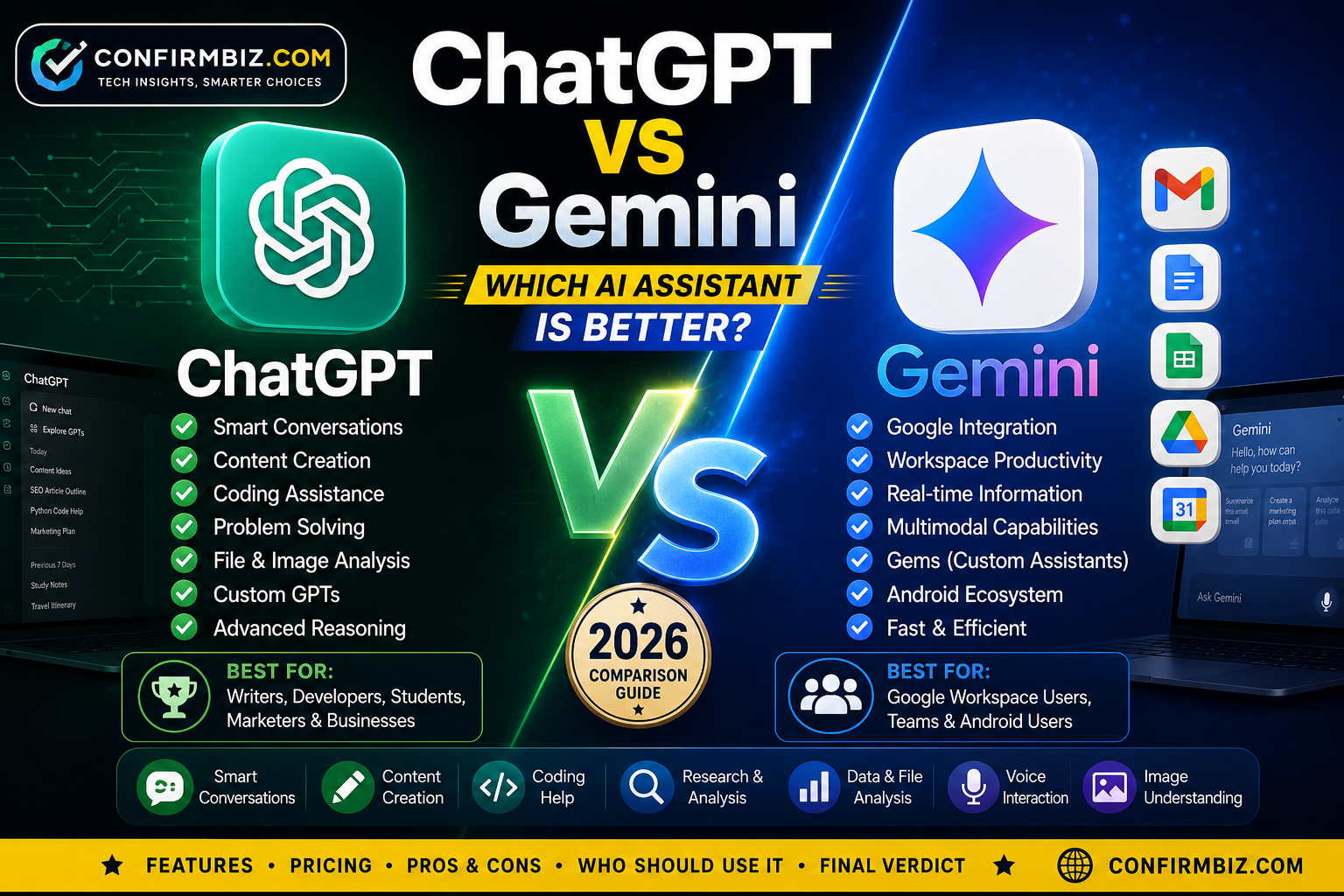
ChatGPT vs Gemini: Which AI Assistant Is Better in 2026?
Artificial intelligence has become part of everyday life. Whether you’re writing articles, creating business plans, answering emails, learning new skills, generating code, or researching complex topics, AI assistants are helping millions of people save time and work more efficiently.
Among the many AI assistants available today, ChatGPT and Google Gemini consistently rank as two of the most popular choices. Both have evolved rapidly over the past few years, introducing smarter reasoning, better writing capabilities, stronger coding assistance, multimodal features, voice interactions, and deeper integrations with productivity tools.
The challenge is that they often appear similar at first glance. Both can answer questions, summarize documents, generate images (depending on the plan and connected tools), analyze files, assist with programming, brainstorm ideas, and even help automate daily work. Yet once you begin using them for real-world tasks, their differences become much more noticeable.
Some users value ChatGPT for its natural writing style, creative thinking, and broad ecosystem of tools. Others prefer Gemini because of its close integration with Google’s services such as Gmail, Docs, Sheets, Maps, and Search. Choosing the right AI assistant depends on what you need it to do.
This detailed comparison examines both platforms from every important angle, including performance, ease of use, accuracy, productivity, coding, research, pricing, privacy, integrations, and overall value. Rather than focusing on marketing claims, we’ll look at how each assistant performs in practical, everyday situations.
By the end of this guide, you’ll know which AI assistant is the better choice for your workflow, whether you’re a student, professional, content creator, developer, researcher, entrepreneur, or casual user.
Quick Verdict
Choose ChatGPT if you want:
- Exceptional writing quality
- Creative brainstorming and content creation
- Strong coding assistance
- Natural conversations and reasoning
- Advanced file analysis
- Custom GPTs for specialized tasks
- A mature ecosystem with broad third-party integrations
Choose Gemini if you want:
- Deep integration with Google Workspace
- Assistance inside Gmail, Docs, Sheets, and Drive
- Strong support for Google Search-based workflows
- A seamless experience across Android devices and Google services
- Productivity features for users already invested in the Google ecosystem
Best Overall: ChatGPT offers the most balanced experience for a wide range of users thanks to its high-quality writing, strong reasoning, coding capabilities, multimodal features, and extensive ecosystem. Gemini is an excellent option for people whose work revolves around Google’s productivity tools and services.
Why This Comparison Matters in 2026
The AI landscape is changing quickly. New features are introduced regularly, and both OpenAI and Google continue to improve their models. As AI assistants become central to education, business, software development, customer service, and content creation, selecting the right platform can have a meaningful impact on productivity and efficiency.
Here are a few reasons why comparing ChatGPT and Gemini is especially important today:
- Businesses are adopting AI at scale. Companies increasingly rely on AI for drafting reports, customer support, marketing content, data analysis, and workflow automation.
- Students use AI for learning. AI assistants help explain concepts, summarize textbooks, create study guides, and support exam preparation.
- Developers depend on AI. Coding assistants can generate code, explain errors, debug applications, and speed up software development.
- Content creators save time. Bloggers, marketers, YouTubers, and social media managers use AI to brainstorm ideas, write scripts, optimize SEO, and repurpose content.
- Everyday users benefit. AI can help plan trips, organize schedules, translate languages, write emails, manage tasks, and answer general questions.
With both ChatGPT and Gemini constantly evolving, understanding their strengths and limitations helps you choose the assistant that best matches your goals instead of relying on assumptions or brand loyalty.
ChatGPT vs Gemini at a Glance
| Category | ChatGPT | Gemini |
|---|---|---|
| Developer | OpenAI | |
| Primary Strength | Writing, reasoning, coding, creativity | Google ecosystem integration and productivity |
| Web Search | Available with supported search features | Strong integration with Google Search |
| Writing Quality | Excellent | Very Good |
| Coding | Excellent | Very Good |
| Document Analysis | Excellent | Excellent |
| Image Understanding | Yes | Yes |
| Voice Conversations | Available | Available |
| Custom AI Assistants | Custom GPTs | Gems |
| Best For | Writers, developers, businesses, students, marketers | Google Workspace users, Android users, professionals using Google services |
What You’ll Learn in This Guide
This comparison goes beyond basic feature lists. In the following sections, we’ll explore:
- A detailed overview of ChatGPT and Gemini
- The technology behind each AI assistant
- How they compare in writing, coding, research, and productivity
- Real-world performance across different tasks
- Pricing and subscription plans
- Pros and cons of each platform
- Which AI assistant is best for students, professionals, businesses, developers, marketers, and everyday users
- Frequently asked questions to help you make an informed decision
Whether you’re looking for an AI assistant to improve productivity, generate high-quality content, streamline your workflow, or support your studies, this guide will help you understand the strengths and trade-offs of both ChatGPT and Gemini so you can choose the one that fits your needs.
ChatGPT Overview
ChatGPT is an artificial intelligence assistant developed by OpenAI. Since its public launch in late 2022, it has become one of the most widely used AI tools in the world. Millions of students, professionals, software developers, business owners, researchers, marketers, and content creators rely on ChatGPT every day to complete tasks more efficiently.
Rather than functioning as a traditional search engine, ChatGPT is designed to understand natural language, follow complex instructions, solve problems, generate ideas, write content, analyze information, and assist with a wide variety of professional and personal tasks. It can hold conversations that feel natural while remembering the context of the discussion, making it useful for both simple questions and long, detailed projects.
Over the years, ChatGPT has evolved from a text-based chatbot into a comprehensive AI assistant capable of working with text, images, documents, spreadsheets, code, voice conversations, and web information. This versatility has made it one of the most complete AI productivity platforms available today.
What Can ChatGPT Do?
One of ChatGPT’s biggest strengths is its versatility. Instead of specializing in just one area, it supports a wide range of tasks across multiple industries and professions.
- Write blog posts, reports, essays, and articles
- Create marketing copy and advertising campaigns
- Generate emails, proposals, and business documents
- Answer technical and educational questions
- Summarize books, PDFs, and lengthy reports
- Analyze spreadsheets and uploaded documents
- Generate and explain programming code
- Debug software and identify coding errors
- Translate between multiple languages
- Create study notes and exam preparation materials
- Brainstorm business ideas and startup strategies
- Assist with SEO optimization and keyword planning
- Create social media content and content calendars
- Analyze images and charts
- Conduct web-based research when supported by browsing tools
This broad range of capabilities means many users can replace several separate software tools with a single AI assistant.
Key Features of ChatGPT
1. Natural Writing Ability
ChatGPT is widely recognized for producing clear, engaging, and human-like writing. It can adapt its tone to suit different audiences, whether you’re writing a professional report, an academic paper, a friendly email, or an SEO-focused blog post.
For writers and marketers, this flexibility is one of its greatest advantages because the generated content usually requires fewer edits before publication.
2. Advanced Reasoning
Unlike simple chatbots that respond with short answers, ChatGPT can solve multi-step problems, explain complex concepts, compare alternatives, and help users make informed decisions. It performs particularly well when working through structured reasoning tasks such as financial planning, project management, troubleshooting, and strategic thinking.
3. Coding Assistance
Developers frequently use ChatGPT to generate code, explain programming concepts, debug applications, optimize algorithms, and learn unfamiliar programming languages.
It supports many popular programming languages including:
- Python
- JavaScript
- TypeScript
- Java
- C#
- C++
- PHP
- SQL
- HTML
- CSS
- Go
- Rust
4. File Analysis
ChatGPT can analyze uploaded documents, spreadsheets, presentations, PDFs, CSV files, and images. Instead of simply reading the files, it can summarize information, identify trends, answer questions about the content, and generate reports based on the uploaded data.
5. Voice Conversations
Users can interact with ChatGPT using voice, creating a more conversational experience. This feature is particularly useful when brainstorming ideas, practicing languages, or working hands-free.
6. Image Understanding
ChatGPT can analyze photographs, screenshots, charts, diagrams, handwritten notes, and scanned documents. Users can upload an image and ask questions about its contents or request explanations and recommendations.
7. Memory
For users who enable memory, ChatGPT can remember selected preferences and ongoing projects across conversations. This helps reduce repetitive instructions and allows for a more personalized experience over time. Users remain in control and can manage or clear saved memories.
8. Custom GPTs
One of ChatGPT’s standout features is the ability to create customized AI assistants, known as Custom GPTs. These specialized assistants can be tailored for specific workflows such as customer support, education, finance, marketing, software development, or content creation.
Who Uses ChatGPT?
ChatGPT has become useful across many industries because of its flexibility.
- Students
- Teachers and educators
- Software developers
- Digital marketers
- Business owners
- Financial analysts
- SEO professionals
- Researchers
- Content creators
- Customer support teams
- Freelancers
- Corporate professionals
Advantages of ChatGPT
- Excellent writing quality
- Highly conversational responses
- Strong logical reasoning
- Excellent coding support
- Powerful document analysis
- Supports image understanding
- Voice interaction
- Large ecosystem of Custom GPTs
- Suitable for beginners and professionals alike
Gemini Overview
Gemini is Google’s flagship AI assistant and is developed by Google DeepMind. It represents Google’s latest generation of artificial intelligence models, designed to work across text, images, audio, video, and code while integrating closely with Google’s products and services.
Gemini is available through the web, Android devices, and Google Workspace applications. For users who already spend much of their day using Gmail, Google Docs, Sheets, Drive, Calendar, and Meet, Gemini offers a seamless AI experience without requiring them to switch between different tools.
One of Gemini’s biggest strengths is its deep connection with Google’s ecosystem. It can help users draft emails, summarize documents, organize information, assist with spreadsheets, and answer questions while working inside familiar Google applications.
What Can Gemini Do?
- Answer general knowledge questions
- Generate articles and written content
- Create emails and business documents
- Summarize PDFs and reports
- Analyze images
- Explain complex concepts
- Generate programming code
- Assist with mathematical calculations
- Help organize schedules and productivity tasks
- Support research using Google services
- Translate multiple languages
- Work alongside Google Workspace applications
Key Features of Gemini
1. Google Workspace Integration
Gemini is deeply integrated with Google Workspace. Users can receive AI assistance directly while working in Gmail, Docs, Sheets, Slides, and Drive, reducing the need to copy and paste information between applications.
2. Multimodal AI
Gemini is designed to understand different types of information, including text, images, code, audio, and video. This allows users to interact with multiple content formats within a single conversation.
3. Strong Search Ecosystem
Because Gemini is part of Google’s AI ecosystem, it complements users who frequently rely on Google Search and other Google services to gather information and stay productive.
4. Coding Support
Like ChatGPT, Gemini assists developers by generating code, explaining programming concepts, debugging errors, and suggesting improvements across several programming languages.
5. Productivity Assistance
Gemini focuses heavily on workplace productivity. It can summarize meetings, draft emails, organize notes, create presentations, and help users complete office tasks more efficiently.
6. Android Integration
Gemini is tightly integrated into many Android devices, making it convenient for users who want AI assistance across their smartphones, tablets, and compatible Google-powered devices.
7. Gems
Gemini offers customizable AI assistants called Gems. Users can create specialized assistants for recurring tasks such as language learning, project planning, writing support, or coding assistance.
Who Uses Gemini?
- Google Workspace users
- Android users
- Students
- Teachers
- Business professionals
- Researchers
- Software developers
- Project managers
- Marketing teams
- Office workers
Advantages of Gemini
- Excellent Google Workspace integration
- Strong productivity tools
- Works naturally with Gmail, Docs, Sheets, and Drive
- Powerful multimodal capabilities
- Excellent Android experience
- Good coding assistance
- Fast responses for everyday productivity tasks
ChatGPT vs Gemini: Core Differences
Although both AI assistants can perform many of the same tasks, they are designed with different priorities.
- ChatGPT places greater emphasis on natural conversations, creative writing, advanced reasoning, coding, document analysis, and a broad ecosystem of customizable AI assistants.
- Gemini focuses on productivity within Google’s ecosystem, making it especially valuable for users who depend on Gmail, Google Docs, Sheets, Drive, Calendar, and Android devices.
In simple terms, ChatGPT tends to excel as a versatile, all-purpose AI assistant, while Gemini shines when your daily workflow is built around Google’s productivity tools.
ChatGPT vs Gemini: Head-to-Head Comparison
Now that we’ve looked at what each AI assistant offers, it’s time to compare them side by side. While ChatGPT and Gemini share many capabilities, they often perform differently depending on the task. Some users prioritize creative writing, while others need accurate research, coding assistance, or seamless integration with workplace tools.
The best AI assistant isn’t necessarily the one with the most features—it’s the one that helps you work faster, think more clearly, and accomplish your goals with less effort. In this section, we’ll compare ChatGPT and Gemini across the areas that matter most to everyday users.
1. User Interface and Ease of Use
A good AI assistant should be easy to learn, even for someone who has never used AI before. Both ChatGPT and Gemini have clean, modern interfaces, but they offer slightly different experiences.
ChatGPT
ChatGPT provides a distraction-free interface with a focus on conversations. Starting a new chat is straightforward, and users can organize discussions into separate conversations. Uploading files, switching models (where available), using voice mode, and accessing custom GPTs are all integrated into the interface.
The layout is intuitive, making it easy for beginners while still offering advanced capabilities for power users.
Gemini
Gemini also offers a simple interface, but its biggest advantage is how naturally it connects with Google’s products. Users who already spend much of their time in Gmail, Google Docs, or Google Drive will find Gemini easy to adopt because many AI features are available within those familiar applications.
| Winner | Reason |
|---|---|
| ChatGPT | Cleaner interface with better organization for long conversations and advanced features. |
2. Writing Quality
One of the biggest reasons people use AI is to write content. Whether you’re creating blog posts, business reports, emails, product descriptions, or marketing campaigns, writing quality matters.
ChatGPT
ChatGPT consistently produces natural, engaging, and well-structured writing. It adapts its tone based on your instructions and performs particularly well when creating long-form articles, storytelling, persuasive copy, SEO content, and professional documents.
It also remembers context throughout longer conversations, making it easier to refine drafts without starting over.
Gemini
Gemini generates high-quality content as well, especially for straightforward business writing and productivity tasks. It works particularly well when drafting emails, summarizing documents, and creating concise reports.
However, for highly creative writing or nuanced long-form content, many users find ChatGPT’s output to feel more natural and polished.
| Winner | Reason |
|---|---|
| ChatGPT ⭐ | Superior creativity, better tone control, and more natural long-form writing. |
3. Coding and Software Development
Developers increasingly rely on AI to write code, debug applications, explain programming concepts, and improve productivity.
ChatGPT
ChatGPT excels at coding across many programming languages. It can generate functions, explain complex algorithms, identify bugs, optimize code, and even help design software architecture.
Many developers also appreciate its ability to explain why a particular solution works instead of simply generating code.
Gemini
Gemini is also a capable coding assistant. It performs well for generating code snippets, solving programming problems, and assisting with web development. Developers who already use Google’s development ecosystem may find Gemini integrates well into their workflow.
| Winner | Reason |
|---|---|
| ChatGPT ⭐ | More detailed explanations, stronger debugging, and better support for complex programming tasks. |
4. Research and Information Gathering
Research is one of the fastest-growing use cases for AI assistants. Users expect AI to summarize information, explain complex topics, compare products, and answer detailed questions.
ChatGPT
ChatGPT performs well when organizing information, explaining difficult concepts, and summarizing large documents. When web search is enabled, it can also retrieve up-to-date information and cite sources where appropriate.
Gemini
Gemini benefits from its close relationship with Google’s ecosystem, making it especially useful for users who frequently work with Google Search and Google Workspace. It is effective at helping users explore topics and organize research within Google’s productivity tools.
| Winner | Reason |
|---|---|
| Draw | Both assistants are highly capable for research, though their strengths depend on your workflow and available search features. |
5. Image Understanding
Modern AI assistants are no longer limited to text. They can interpret screenshots, graphs, handwritten notes, photographs, diagrams, and other visual content.
ChatGPT
ChatGPT performs well when analyzing uploaded images, identifying objects, explaining diagrams, interpreting charts, and answering questions about visual content.
Gemini
Gemini also offers strong image understanding capabilities and is particularly useful when working with images alongside Google’s productivity tools.
| Winner | Reason |
|---|---|
| Draw | Both platforms provide excellent image analysis for everyday users. |
6. Voice Conversations
Voice interaction allows users to communicate naturally without typing.
Both ChatGPT and Gemini support conversational voice features, making it easier to brainstorm ideas, practice languages, ask questions while multitasking, or use AI hands-free on mobile devices.
| Winner | Reason |
|---|---|
| Draw | Both assistants provide smooth voice experiences, though availability may vary by platform and subscription. |
7. Productivity and Workflow
ChatGPT
ChatGPT supports productivity through document analysis, brainstorming, custom GPTs, automation, writing assistance, coding support, and integrations with various services.
Gemini
Gemini’s biggest advantage is its deep integration with Google Workspace. Users can draft emails, summarize documents, organize spreadsheets, and manage tasks directly within Google’s ecosystem.
| Winner | Reason |
|---|---|
| Gemini ⭐ | Excellent integration with Gmail, Google Docs, Sheets, Drive, and other Google Workspace apps. |
8. Custom AI Assistants
Both platforms allow users to create specialized AI assistants for recurring tasks.
ChatGPT
Custom GPTs can be tailored for customer support, education, finance, writing, coding, marketing, project management, and more. Many are also shared through a marketplace, making it easy to discover assistants built by others.
Gemini
Gemini offers Gems, which let users create personalized assistants for specific goals and workflows.
| Winner | Reason |
|---|---|
| ChatGPT ⭐ | A larger and more mature ecosystem of customizable assistants. |
9. Overall Performance Score
| Category | ChatGPT | Gemini | Winner |
|---|---|---|---|
| Ease of Use | ★★★★★ | ★★★★☆ | ChatGPT |
| Writing | ★★★★★ | ★★★★☆ | ChatGPT |
| Coding | ★★★★★ | ★★★★☆ | ChatGPT |
| Research | ★★★★★ | ★★★★★ | Draw |
| Image Understanding | ★★★★★ | ★★★★★ | Draw |
| Productivity | ★★★★☆ | ★★★★★ | Gemini |
| Customization | ★★★★★ | ★★★★☆ | ChatGPT |
| Overall | 9.7/10 | 9.3/10 | 🏆 ChatGPT |
Summary
Both ChatGPT and Gemini are powerful AI assistants capable of handling writing, coding, research, document analysis, and productivity tasks. ChatGPT stands out for its natural writing, advanced reasoning, coding support, and customizable AI assistants, making it a strong all-around choice for a wide range of users. Gemini, on the other hand, shines for people who rely heavily on Google Workspace, offering seamless integration with Gmail, Docs, Sheets, Drive, and Android devices.
In the next section, we’ll examine each platform’s key features, pricing, pros and cons, and which type of user will benefit most from each AI assistant.
Key Features Comparison
Although ChatGPT and Gemini share many core AI capabilities, each platform offers unique features that appeal to different types of users. If your goal is to choose the best AI assistant for your daily workflow, understanding these differences is just as important as comparing their overall performance.
| Feature | ChatGPT | Gemini |
|---|---|---|
| Human-like Conversations | ★★★★★ | ★★★★☆ |
| Creative Writing | ★★★★★ | ★★★★☆ |
| SEO Content Creation | ★★★★★ | ★★★★☆ |
| Programming Assistance | ★★★★★ | ★★★★☆ |
| File Analysis | ★★★★★ | ★★★★★ |
| Image Understanding | ★★★★★ | ★★★★★ |
| Voice Interaction | ★★★★★ | ★★★★★ |
| Custom AI Assistants | Custom GPTs | Gems |
| Google Workspace Integration | Limited | ★★★★★ |
| Android Integration | Good | ★★★★★ |
| Third-party Ecosystem | Excellent | Very Good |
| Business Use | ★★★★★ | ★★★★★ |
Pricing Comparison
Both ChatGPT and Gemini offer free versions alongside paid subscription plans with additional features. The free plans are sufficient for casual users, while professionals, businesses, and power users will benefit from the premium options.
| Plan | ChatGPT | Gemini |
|---|---|---|
| Free Version |
✔ Available Access to core ChatGPT features with usage limits. |
✔ Available Access to Gemini with usage limits and basic capabilities. |
| Individual Premium |
ChatGPT Plus Approximately US$20/month. |
Google AI Pro Approximately US$20/month in supported regions. |
| Business / Enterprise | Business and Enterprise plans with collaboration, administration, and enhanced security features. | Business offerings integrated with Google Workspace for organizations. |
Note: Subscription plans, prices, available AI models, and included features can change over time and may vary by country. Always check the official OpenAI and Google pricing pages before subscribing.
ChatGPT Pros and Cons
Advantages
- Outstanding writing quality
- Excellent for blogging and SEO
- Powerful coding assistant
- Strong reasoning and problem-solving
- Excellent document analysis
- Supports voice conversations
- Custom GPT marketplace
- Useful for business planning
- Great for students and researchers
- Large ecosystem and community support
Disadvantages
- Some advanced features require a paid subscription.
- Usage limits can apply during periods of high demand.
- Web-based answers depend on available search features.
- Premium plans may be expensive for occasional users.
Gemini Pros and Cons
Advantages
- Excellent Google Workspace integration
- Strong Android experience
- Fast document summarization
- Powerful multimodal AI
- Useful for workplace productivity
- Good coding capabilities
- Excellent for Gmail and Google Docs users
Disadvantages
- Creative writing may require more editing than ChatGPT.
- Best experience depends on using Google’s ecosystem.
- Some advanced capabilities are limited to premium plans.
- Feature availability may differ across countries and Workspace editions.
Who Should Use ChatGPT?
ChatGPT is the better choice if you regularly perform tasks that require creativity, detailed explanations, or advanced reasoning.
- Bloggers and content creators
- SEO professionals
- Digital marketers
- Software developers
- Freelancers
- Business owners
- Students
- Researchers
- Financial analysts
- Teachers and educators
- Authors and copywriters
- Customer support teams
Best Choice: If you need an AI assistant that can write naturally, solve complex problems, generate code, analyze documents, brainstorm ideas, and support a wide range of professional tasks, ChatGPT is difficult to beat.
Who Should Use Gemini?
Gemini is ideal for users who already rely on Google’s services throughout the day and want AI assistance built directly into those tools.
- Google Workspace users
- Gmail power users
- Google Docs and Sheets users
- Android users
- Corporate professionals
- Project managers
- Business teams
- Students using Google Classroom
- Researchers using Google services
- Office workers collaborating in Google Workspace
Best Choice: If most of your work happens inside Gmail, Google Docs, Google Drive, Sheets, Calendar, and Android devices, Gemini offers one of the smoothest AI-assisted productivity experiences available.
Which AI Assistant Offers Better Value?
When comparing overall value, both platforms deliver impressive capabilities for their subscription prices. However, value depends on how you plan to use the AI assistant.
| If You Need… | Recommended AI |
|---|---|
| Long-form content writing | ChatGPT |
| SEO and blogging | ChatGPT |
| Creative brainstorming | ChatGPT |
| Google Workspace productivity | Gemini |
| Android ecosystem | Gemini |
| Programming and debugging | ChatGPT |
| Business planning | ChatGPT |
| Office collaboration | Gemini |
Summary
ChatGPT and Gemini are among the most capable AI assistants available today, but they excel in different areas. ChatGPT leads in creative writing, SEO, coding, advanced reasoning, and flexibility, making it an excellent all-round assistant for individuals and businesses. Gemini stands out for users who are deeply invested in Google’s ecosystem, offering seamless productivity features across Gmail, Docs, Sheets, Drive, and Android devices.
In the final section, we’ll answer the most frequently asked questions, deliver the final verdict, and provide SEO-ready FAQ, Article, Breadcrumb, and Review Schema markup for your blog.
Final Verdict: ChatGPT vs Gemini – Which AI Assistant Is Better?
After comparing ChatGPT and Gemini across writing, coding, research, productivity, pricing, integrations, and overall usability, it’s clear that both are among the best AI assistants available today. However, the better choice depends on how you plan to use AI in your daily life or business.
If you’re looking for a versatile AI assistant that can help with content creation, software development, business planning, research, learning, document analysis, and creative brainstorming, ChatGPT is the stronger all-around option. Its natural writing style, excellent reasoning abilities, customizable GPTs, and broad ecosystem make it suitable for individuals and businesses across many industries.
On the other hand, Gemini is an outstanding choice for users who work primarily within Google’s ecosystem. If your day revolves around Gmail, Google Docs, Google Sheets, Google Drive, Google Calendar, and Android devices, Gemini provides an integrated AI experience that can significantly improve productivity.
The good news is that both platforms offer free plans, allowing you to explore their capabilities before deciding whether a premium subscription is worthwhile.
Overall Winner
🏆 Best Overall AI Assistant: ChatGPT
ChatGPT earns the top position because of its excellent writing quality, advanced reasoning, coding support, document analysis, flexibility, and extensive customization options. It performs consistently well across a wide range of personal and professional tasks, making it the best choice for most users.
Who Wins in Each Category?
| Category | Winner |
|---|---|
| Creative Writing | 🏆 ChatGPT |
| SEO Content | 🏆 ChatGPT |
| Programming | 🏆 ChatGPT |
| Business Planning | 🏆 ChatGPT |
| Document Analysis | Tie |
| Image Understanding | Tie |
| Voice Features | Tie |
| Google Workspace | 🏆 Gemini |
| Android Users | 🏆 Gemini |
| Overall Value | 🏆 ChatGPT |
Frequently Asked Questions (FAQ)
1. Which AI assistant is better for beginners?
Both ChatGPT and Gemini are beginner-friendly. ChatGPT offers a simple conversational interface, while Gemini is particularly easy to adopt if you already use Google’s products.
2. Is ChatGPT more accurate than Gemini?
Accuracy depends on the task and the information available to each model. Both AI assistants can make mistakes, so it’s important to verify important facts using reliable sources, especially for medical, legal, financial, or other high-stakes decisions.
3. Which AI is better for writing blog posts?
ChatGPT generally produces more natural long-form writing, making it a popular choice for bloggers, copywriters, and digital marketers.
4. Which AI is better for coding?
Both assistants can generate and explain code, but ChatGPT often provides more detailed debugging assistance and clearer explanations for complex programming tasks.
5. Which AI is better for students?
Both are excellent learning tools. ChatGPT is well suited for detailed explanations and study support, while Gemini is especially convenient for students who rely on Google Workspace and Android devices.
6. Can ChatGPT and Gemini analyze PDF files?
Yes. Both platforms support document analysis, allowing users to summarize PDFs, answer questions about uploaded files, and extract key information. Availability may depend on the plan and supported features.
7. Which AI is better for businesses?
Businesses focused on content creation, customer support, software development, and strategic planning may benefit more from ChatGPT. Organizations heavily invested in Google Workspace may find Gemini integrates more naturally into their existing workflows.
8. Are ChatGPT and Gemini free?
Yes. Both offer free plans with usage limits. Premium subscriptions unlock additional models, higher usage limits, and advanced features.
9. Can these AI assistants replace Google Search?
Not entirely. AI assistants are useful for summarizing information and answering questions, but traditional search engines remain valuable for finding original sources, comparing viewpoints, and accessing the latest information.
10. Which AI assistant should I choose in 2026?
If you want the most versatile AI assistant for writing, coding, learning, and business tasks, ChatGPT is the stronger overall choice. If your work revolves around Google’s ecosystem, Gemini is an excellent alternative.
Conclusion
Artificial intelligence is no longer just a trend—it has become an essential productivity tool for individuals, businesses, educators, developers, and content creators. Choosing the right AI assistant can help you save time, improve the quality of your work, and simplify everyday tasks.
ChatGPT and Gemini are both excellent platforms, and either can significantly improve your workflow. The right choice ultimately depends on your priorities:
- Choose ChatGPT if you value exceptional writing, creative thinking, advanced coding support, and an AI assistant that adapts to a wide variety of tasks.
- Choose Gemini if you spend most of your time in Gmail, Google Docs, Google Drive, Google Sheets, and other Google services, and want AI integrated directly into those tools.
Whichever platform you choose, remember that AI works best as a collaborative assistant. Review its outputs, verify important information, and combine AI-generated ideas with your own expertise and judgment to achieve the best results.
Related Articles You May Like
- Best AI Tools for Productivity in 2026 Click here to read more
- The Best Free AI Tools You Should Try Today Click here to read more
- ChatGPT vs Claude: Which AI Assistant Is Better?
- Google Gemini Review: Features, Pricing, Pros and Cons
- How AI Is Changing Business in 2026
- Best AI Tools for Content Creators
For more tips about ChatGPT vs Gemini and other digital tools, check out our Digital tools review category Click here to read more.
About Confirmbiz
At Confirmbiz.com, we publish practical technology guides, honest product comparisons, financial insights, and digital productivity resources to help readers make informed decisions. Explore our latest articles for more expert reviews, business tips, and technology updates.
Have any thoughts?
Share your reaction or leave a quick response — we’d love to hear what you think!
-
 1
1
-
 0
0
-
 0
0
-
 0
0
-
 0
0
-
 0
0