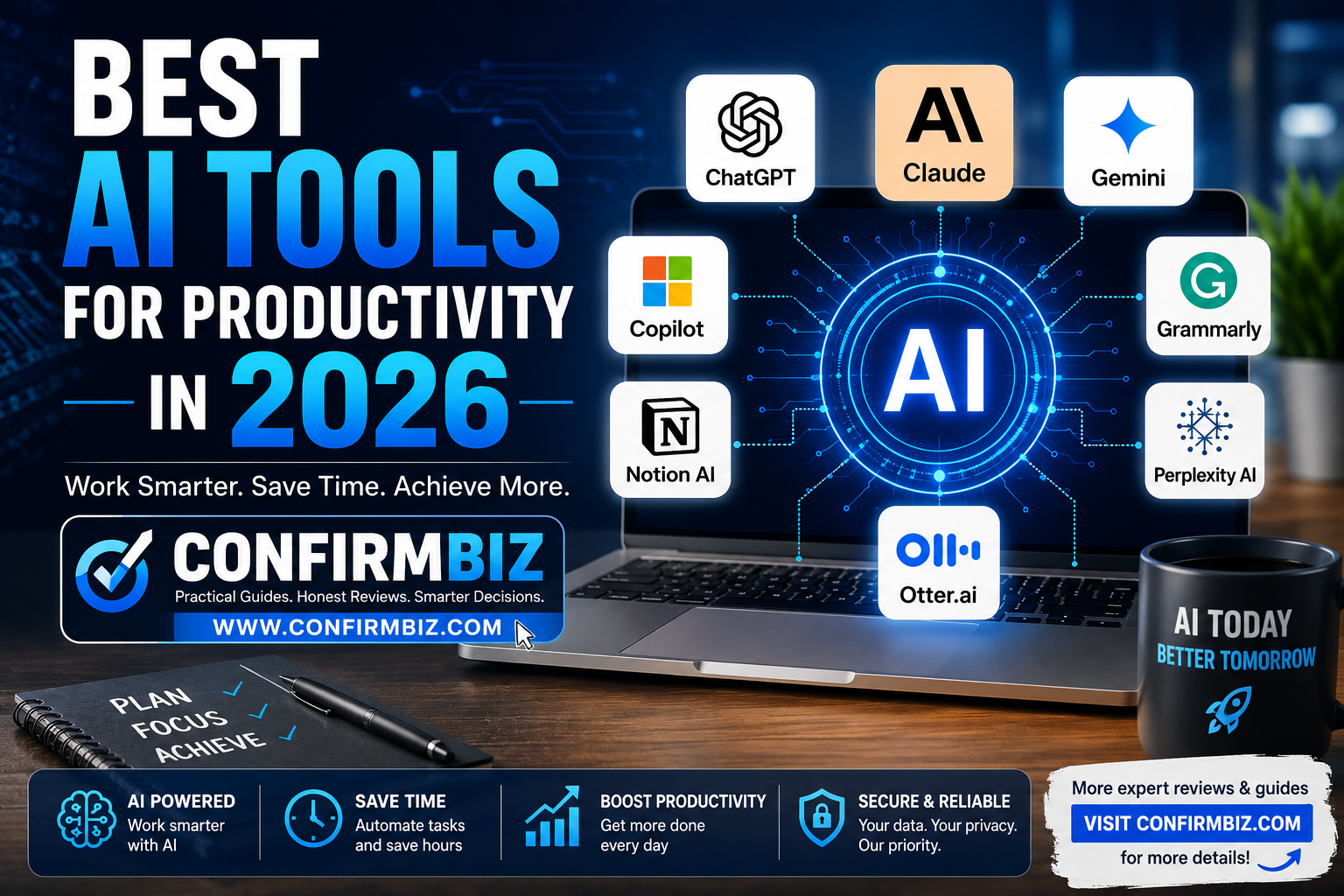
Best AI Tools for Productivity in 2026: The Ultimate Guide
Last Updated: 2026
Artificial intelligence has become one of the most valuable workplace technologies available today. Whether you’re a student, freelancer, entrepreneur, marketer, software developer, researcher, or business owner, AI tools can significantly reduce the time spent on repetitive tasks while improving the quality of your work.
In 2026, AI is no longer just about generating text. Modern AI platforms help users write reports, summarize meetings, create presentations, answer research questions, automate workflows, edit documents, generate images, organize projects, and even manage daily schedules.
The challenge isn’t finding an AI tool—it’s choosing the right one. Some platforms excel at writing, while others specialize in coding, research, collaboration, meeting transcription, or project management.
This guide compares the leading AI productivity tools available in 2026 based on real-world usability, features, pricing, strengths, limitations, and the type of user who benefits most from each one.
Why AI Productivity Tools Matter in 2026
Businesses and professionals are under constant pressure to accomplish more in less time. AI has become an effective productivity partner by handling repetitive work, organizing information, and assisting with creative and analytical tasks.
Modern AI tools help users:
- Write emails, reports, and articles faster.
- Research topics in minutes instead of hours.
- Summarize lengthy documents.
- Create presentations automatically.
- Generate programming code.
- Improve grammar and writing style.
- Take meeting notes.
- Automate repetitive workflows.
- Organize projects and tasks.
- Analyze large amounts of information quickly.
Instead of replacing human expertise, these tools enhance productivity by allowing users to focus on decision-making, creativity, and problem-solving.
Quick Comparison Table
| Tool | Best For | Free Plan | Starting Price* | Rating |
|---|---|---|---|---|
| ChatGPT | Writing & General Productivity | Yes | From US$20/month | ★★★★★ |
| Claude | Long-form Writing | Yes | From US$20/month | ★★★★★ |
| Google Gemini | Google Workspace | Yes | Various Google AI plans | ★★★★☆ |
| Microsoft Copilot | Microsoft 365 | Limited | Varies by plan | ★★★★★ |
| Notion AI | Project Management | No (AI add-on/included depending on plan) | Varies | ★★★★☆ |
| Grammarly | Writing Assistance | Yes | Premium plans available | ★★★★★ |
| Perplexity AI | Research | Yes | Pro subscription available | ★★★★★ |
| Otter.ai | Meeting Notes | Yes | Paid plans available | ★★★★☆ |
*Pricing changes occasionally. Always verify the latest plans on each provider’s official website before subscribing.
1. ChatGPT
Overview
ChatGPT remains one of the most versatile AI assistants available in 2026. It can help with writing, coding, brainstorming, customer support, document summarization, data analysis, language translation, and much more.
Its flexibility makes it suitable for both personal and professional productivity.
Key Features
- High-quality writing assistance
- Programming support
- Spreadsheet analysis
- Image generation (supported plans)
- Research assistance
- Brainstorming ideas
- Document summarization
- Custom GPTs and automation features
Pricing
- Free plan available
- Plus plan from approximately US$20/month
- Additional business and enterprise plans available
Pros
- Easy to use
- Excellent writing quality
- Supports multiple professional tasks
- Strong coding capabilities
- Regular feature updates
Cons
- Some advanced features require a paid subscription
- Users should verify important factual information independently
Who Should Use ChatGPT?
- Bloggers
- Students
- Business owners
- Freelancers
- Software developers
- Researchers
Best Use Cases
- Writing articles
- Generating business ideas
- Email drafting
- Coding assistance
- Marketing content
- Learning new topics
2. Claude
Overview
Claude has become a favorite among professionals who work with lengthy documents and detailed analysis. It is particularly strong at maintaining context over long conversations and producing clear, well-structured writing.
Key Features
- Excellent long-document analysis
- Natural writing style
- Code generation
- Reasoning support
- Document summarization
- Large context handling
Pricing
- Free version available
- Pro plan from approximately US$20/month
Pros
- Outstanding writing quality
- Handles large documents effectively
- Useful for research
- Simple interface
Cons
- Smaller ecosystem than some competitors
- Some advanced features are subscription-based
Who Should Use Claude?
- Researchers
- Authors
- Lawyers
- Consultants
- Content creators
Best Use Cases
- Long reports
- Book summaries
- Proposal writing
- Research analysis
3. Google Gemini
Overview
Google Gemini is designed to work seamlessly with Google’s ecosystem, including Gmail, Google Docs, Sheets, Drive, and other Workspace applications. It is particularly useful for users who already rely on Google services every day.
Key Features
- Google Workspace integration
- Email drafting assistance
- Document summarization
- Spreadsheet insights
- Presentation support
- Multimodal capabilities
Pricing
- Free access with limits
- Premium AI features available through paid Google plans
Pros
- Excellent integration with Google products
- Fast information retrieval
- Easy collaboration
- Useful for business teams
Cons
- Best experience is within the Google ecosystem
- Advanced capabilities require eligible paid plans
Who Should Use Google Gemini?
- Google Workspace users
- Students
- Small businesses
- Marketing teams
Best Use Cases
- Writing Gmail responses
- Summarizing Google Docs
- Creating presentations
- Spreadsheet analysis
4. Microsoft Copilot
Overview
Microsoft Copilot brings AI directly into Microsoft 365 applications such as Word, Excel, PowerPoint, Outlook, and Teams. For organizations already invested in Microsoft’s ecosystem, it can streamline document creation, data analysis, and workplace collaboration.
Key Features
- AI assistance in Word, Excel, and PowerPoint
- Email drafting in Outlook
- Meeting summaries in Teams
- Spreadsheet analysis
- Presentation generation
- Business workflow support
Pricing
- Availability and pricing depend on Microsoft subscription plans and licensing.
Pros
- Deep Microsoft integration
- Ideal for enterprise users
- Strong productivity features
- Reduces repetitive office tasks
Cons
- Best value for Microsoft ecosystem users
- Some features require specific Microsoft plans
Who Should Use Microsoft Copilot?
- Corporate teams
- Office workers
- Finance professionals
- Project managers
- Businesses using Microsoft 365
Best Use Cases
- Generating reports in Word
- Analyzing Excel data
- Creating PowerPoint presentations
- Summarizing Teams meetings
5. Notion AI
Overview
If you use Notion to manage projects, take notes, or collaborate with a team, Notion AI can save you hours every week. Instead of switching between multiple applications, you can brainstorm ideas, summarize documents, create meeting notes, generate content, and organize information without leaving your workspace.
One of Notion AI’s biggest strengths is that it works directly with your existing notes and databases. This makes it particularly valuable for businesses, startups, students, and project managers who want everything stored in one organized location.
Key Features
- AI writing assistant
- Meeting note summaries
- Content generation
- Project planning
- Task management
- Knowledge base search
- Brainstorming assistance
- Translation and rewriting
Pricing
- Free workspace available with limitations.
- AI features are available through eligible paid plans or AI add-ons, depending on the subscription.
Pros
- Excellent project organization
- Easy collaboration for teams
- Saves time on documentation
- Clean and modern interface
- Works well for knowledge management
Cons
- Learning curve for beginners
- AI capabilities are strongest within the Notion ecosystem
- Advanced collaboration features require paid plans
Who Should Use Notion AI?
- Project managers
- Startups
- Content teams
- Students
- Remote teams
- Business owners
Best Use Cases
- Weekly project planning
- Meeting documentation
- Knowledge management
- Creating SOPs
- Managing company wikis
- Organizing research notes
6. Grammarly
Overview
Grammarly has grown far beyond a grammar checker. In 2026, it acts as an AI-powered writing assistant that helps improve clarity, tone, readability, and professionalism across emails, reports, blog posts, and business documents.
Whether you’re writing a proposal for a client or publishing an article on your blog, Grammarly helps eliminate common mistakes while suggesting more natural and engaging wording.
Key Features
- Grammar correction
- Spell checking
- Tone detection
- Sentence rewriting
- AI content generation
- Plagiarism checking (selected plans)
- Writing style improvement
- Browser and Microsoft Office integration
Pricing
- Free version available.
- Premium and Business plans unlock additional AI writing and editing features.
Pros
- Easy to use
- Works across many websites and applications
- Excellent grammar suggestions
- Improves writing confidence
- Ideal for professionals
Cons
- Some suggestions may need manual review
- Advanced features require a subscription
- Less suitable for complex research compared with dedicated AI assistants
Who Should Use Grammarly?
- Bloggers
- Students
- Copywriters
- Business professionals
- Email marketers
- Customer support teams
Best Use Cases
- Proofreading blog posts
- Writing professional emails
- Improving resumes
- Editing reports
- Creating social media captions
7. Perplexity AI
Overview
Perplexity AI has become one of the most useful research assistants available. Unlike many traditional AI chatbots, it focuses on answering questions with references to publicly available sources, making it easier to verify information.
This makes it especially valuable for journalists, students, analysts, researchers, and content creators who need quick answers and supporting sources.
Key Features
- AI-powered search
- Source-backed answers
- Research summaries
- Follow-up questions
- Document analysis
- Web search integration
- Conversation history
Pricing
- Free plan available.
- Pro subscription available with additional models and higher usage limits.
Pros
- Fast research
- Provides references for many answers
- Simple interface
- Excellent for learning new topics
- Helpful for fact-checking workflows
Cons
- Quality depends on available online sources
- Complex topics may still require independent verification
- Advanced capabilities require Pro
Who Should Use Perplexity AI?
- Researchers
- Students
- Financial analysts
- Journalists
- Bloggers
- Business consultants
Best Use Cases
- Market research
- Competitor analysis
- Finding reliable information quickly
- Learning new skills
- Preparing reports
8. Otter.ai
Overview
Otter.ai specializes in one important productivity task that many professionals overlook—capturing conversations accurately. It automatically records, transcribes, and summarizes meetings, interviews, lectures, and online discussions, helping teams stay organized without relying on handwritten notes.
For remote teams and busy professionals, this means less time spent taking notes and more time focusing on the discussion itself.
Key Features
- Real-time transcription
- Automatic meeting summaries
- Speaker identification
- Keyword search
- Shared team notes
- Collaboration tools
- Cloud synchronization
Pricing
- Free plan available with usage limits.
- Paid plans provide additional transcription minutes, collaboration tools, and advanced features.
Pros
- Highly accurate transcription
- Simple to use
- Great for remote meetings
- Saves hours of manual note-taking
- Improves team collaboration
Cons
- Accuracy can be affected by poor audio quality or heavy background noise
- Free plan has monthly limits
- Advanced team features require paid plans
Who Should Use Otter.ai?
- Business teams
- Students
- Journalists
- Law firms
- Consultants
- Podcast creators
Best Use Cases
- Zoom meetings
- Microsoft Teams meetings
- Google Meet calls
- Class lectures
- Interviews
- Conference recordings
Summary of the First Eight AI Productivity Tools
| Tool | Best For | Ease of Use | Business Rating |
|---|---|---|---|
| ChatGPT | General AI Productivity | ★★★★★ | ★★★★★ |
| Claude | Long-form Writing | ★★★★★ | ★★★★★ |
| Google Gemini | Google Workspace Users | ★★★★★ | ★★★★☆ |
| Microsoft Copilot | Microsoft 365 Users | ★★★★☆ | ★★★★★ |
| Notion AI | Project Management | ★★★★☆ | ★★★★★ |
| Grammarly | Writing & Editing | ★★★★★ | ★★★★★ |
| Perplexity AI | Research & Learning | ★★★★★ | ★★★★★ |
| Otter.ai | Meeting Transcription | ★★★★★ | ★★★★☆ |
Head-to-Head Comparison of the Best AI Productivity Tools in 2026
Every AI tool has its strengths. Some are designed for writing, while others excel at research, collaboration, coding, project management, or meeting transcription. Choosing the right AI assistant depends on your workflow rather than simply selecting the most popular platform.
Below is a detailed comparison of the leading AI productivity tools to help you determine which one best fits your personal or professional needs.
ChatGPT vs Claude
| Feature | ChatGPT | Claude |
|---|---|---|
| Writing Quality | ★★★★★ | ★★★★★ |
| Creative Writing | Excellent | Excellent |
| Coding | ★★★★★ | ★★★★☆ |
| Document Analysis | Excellent | Outstanding |
| Brainstorming | ★★★★★ | ★★★★★ |
| Ease of Use | ★★★★★ | ★★★★★ |
| Best For | General productivity | Long documents and analysis |
If your daily work involves writing blog posts, generating ideas, coding, marketing, and solving various business problems, ChatGPT is one of the most versatile choices available.
Claude stands out when working with lengthy reports, legal documents, research papers, and detailed analysis where maintaining context over large amounts of text is important.
Google Gemini vs Microsoft Copilot
| Feature | Google Gemini | Microsoft Copilot |
|---|---|---|
| Email Assistance | ★★★★★ | ★★★★★ |
| Document Editing | ★★★★☆ | ★★★★★ |
| Spreadsheet Analysis | ★★★★☆ | ★★★★★ |
| Presentation Creation | ★★★★☆ | ★★★★★ |
| Cloud Collaboration | ★★★★★ | ★★★★★ |
| Best Ecosystem | Google Workspace | Microsoft 365 |
Choose Google Gemini if your organization primarily uses Gmail, Google Docs, Google Sheets, and Google Drive.
Microsoft Copilot is a stronger option for businesses already using Microsoft Word, Excel, Outlook, PowerPoint, and Teams.
Perplexity AI vs ChatGPT
| Feature | Perplexity AI | ChatGPT |
|---|---|---|
| Research | ★★★★★ | ★★★★☆ |
| Source References | ★★★★★ | Varies by workflow and available sources |
| Writing | ★★★★☆ | ★★★★★ |
| Learning | ★★★★★ | ★★★★★ |
| Business Content | ★★★★☆ | ★★★★★ |
Perplexity AI shines when you need quick, source-backed research and want to explore topics efficiently. ChatGPT is more flexible for creating original content, coding, brainstorming, and handling a wide range of productivity tasks.
Grammarly vs Notion AI
| Feature | Grammarly | Notion AI |
|---|---|---|
| Grammar | ★★★★★ | ★★★★☆ |
| Writing Improvement | ★★★★★ | ★★★★☆ |
| Project Management | ★★☆☆☆ | ★★★★★ |
| Team Collaboration | ★★★☆☆ | ★★★★★ |
| Knowledge Base | ★★☆☆☆ | ★★★★★ |
Grammarly is best for improving the quality of your writing across emails, reports, and articles. Notion AI is the better choice for organizing projects, documentation, and collaborative workspaces.
Best AI Productivity Tools by Profession
For Bloggers and Content Creators
- ChatGPT
- Claude
- Grammarly
- Perplexity AI
These tools help generate ideas, write articles, improve readability, research topics, and optimize content creation workflows.
For Students
- ChatGPT
- Google Gemini
- Perplexity AI
- Grammarly
Students can use these tools to summarize textbooks, improve essays, understand difficult concepts, organize study notes, and manage assignments more efficiently.
For Business Owners
- Microsoft Copilot
- ChatGPT
- Notion AI
- Claude
Business owners benefit from AI-assisted report writing, proposal drafting, workflow automation, meeting summaries, project planning, and document management.
For Software Developers
- ChatGPT
- Claude
- Microsoft Copilot
Developers can use AI to explain code, troubleshoot errors, generate scripts, review documentation, and accelerate software development workflows.
For Researchers
- Perplexity AI
- Claude
- ChatGPT
- Google Gemini
Researchers often need a combination of strong reasoning, document analysis, and access to supporting information. Using more than one AI tool can help improve productivity while allowing important findings to be verified independently.
How to Choose the Right AI Productivity Tool
With so many AI assistants available, selecting the right one comes down to understanding your own workflow. Instead of choosing the platform with the most features, prioritize the one that solves your biggest productivity challenges.
1. Identify Your Primary Goal
- Writing articles and emails
- Managing projects
- Research and learning
- Coding
- Meeting transcription
- Business collaboration
A clear objective makes it easier to narrow your options and avoid paying for features you may never use.
2. Consider Your Existing Software
If your organization already uses Google Workspace, Gemini may fit naturally into your workflow. If you’re invested in Microsoft 365, Copilot can integrate directly with familiar applications such as Word, Excel, Outlook, and Teams.
3. Compare Free and Paid Features
Many AI tools offer generous free plans that are sufficient for occasional use. Professionals and businesses that rely on AI daily may benefit from premium subscriptions, which often provide higher usage limits, additional capabilities, and business-focused features.
4. Evaluate Data Privacy
Before uploading sensitive documents or confidential information, review each provider’s privacy policy and organizational controls. Businesses handling regulated or proprietary data should ensure their chosen platform aligns with internal security requirements.
5. Test Before Committing
The best way to choose an AI productivity tool is to try it with your own tasks. Spend a week using the free version to see how well it fits your workflow before upgrading to a paid plan.
Expert Tips to Maximize AI Productivity
- Use AI as a productivity assistant, not a replacement for your expertise.
- Review AI-generated content for accuracy before publishing or sharing it.
- Write clear, detailed prompts to receive more useful responses.
- Combine specialized tools—for example, use Perplexity AI for research, ChatGPT for drafting, and Grammarly for editing.
- Keep your AI tools updated to access the latest features and improvements.
- Protect confidential information by following your organization’s data handling policies.
- Develop prompt-writing skills; better prompts often lead to better results.
- Experiment with different tools to discover which combination best supports your daily workflow.
Final Verdict: Which AI Productivity Tool Should You Choose?
Artificial intelligence has transformed the way people work, learn, and collaborate. Rather than replacing human expertise, today’s AI tools act as intelligent assistants that help you complete tasks faster, improve the quality of your work, and free up more time for strategic thinking.
The best AI productivity tool for you depends on your workflow, budget, and the software ecosystem you already use. There is no single tool that is perfect for everyone, but several stand out in specific areas.
Our Top Recommendations
| Category | Recommended Tool | Reason |
|---|---|---|
| Best Overall | ChatGPT | Excellent balance of writing, coding, brainstorming, learning, and productivity. |
| Best for Long Documents | Claude | Handles lengthy reports and maintains context exceptionally well. |
| Best for Research | Perplexity AI | Quick answers with supporting references for many responses. |
| Best for Microsoft Users | Microsoft Copilot | Deep integration with Word, Excel, Outlook, PowerPoint, and Teams. |
| Best for Google Users | Google Gemini | Works seamlessly with Gmail, Docs, Sheets, and Drive. |
| Best Writing Assistant | Grammarly | Improves grammar, tone, readability, and professionalism. |
| Best Project Management AI | Notion AI | Perfect for organizing projects, documentation, and collaboration. |
| Best Meeting Assistant | Otter.ai | Reliable transcription and meeting summaries for remote teams. |
Editor’s Recommendation
If you only plan to invest in one AI tool, choose one that aligns with your primary workflow rather than trying to find a platform that does everything.
- Bloggers and content creators: ChatGPT + Grammarly + Perplexity AI
- Students: ChatGPT + Google Gemini
- Researchers: Claude + Perplexity AI
- Business teams: Microsoft Copilot or Google Gemini (depending on your office suite)
- Project managers: Notion AI
- Remote teams: Otter.ai + Notion AI
- Developers: ChatGPT + Claude
Many professionals achieve the best results by combining two or three specialized AI tools instead of relying on a single application for every task.
Frequently Asked Questions (FAQ)
1. What is the best AI productivity tool in 2026?
ChatGPT is one of the most versatile AI productivity tools available in 2026 because it supports writing, coding, brainstorming, summarization, learning, and many other professional tasks. However, the best choice depends on your specific needs.
2. Which AI tool is best for students?
Students often benefit from ChatGPT for explanations and drafting, Google Gemini for integration with Google Workspace, Grammarly for improving writing, and Perplexity AI for research.
3. Which AI tool is best for business owners?
Business owners may find Microsoft Copilot valuable if they use Microsoft 365, while ChatGPT and Notion AI are useful for content creation, planning, documentation, and daily operations.
4. Is ChatGPT better than Claude?
Both are excellent tools. ChatGPT offers broad productivity capabilities, while Claude is particularly strong at analyzing long documents and producing well-structured writing.
5. Which AI tool is best for research?
Perplexity AI is a popular option for research because it often provides answers alongside supporting references, making it easier to continue your own verification process.
6. Are free AI tools good enough?
Yes. Free plans offered by many AI providers are sufficient for light to moderate use. Professionals with higher usage needs or advanced workflow requirements may benefit from paid subscriptions.
7. Can AI improve workplace productivity?
Yes. AI can help automate repetitive tasks, summarize documents, assist with writing, analyze information, and support decision-making, allowing users to focus on higher-value work.
8. Is Grammarly still worth using if I already use AI chatbots?
Yes. Grammarly specializes in polishing grammar, tone, and readability, making it a useful complement to general-purpose AI assistants.
9. Which AI tool is best for project management?
Notion AI is a strong choice for organizing tasks, documenting processes, managing projects, and collaborating with teams.
10. Do AI productivity tools replace human workers?
No. AI tools are designed to assist users by automating repetitive work and providing suggestions. Human judgment, creativity, and decision-making remain essential.
Conclusion
AI productivity tools have evolved into practical assistants for individuals and businesses alike. Whether you need help writing reports, organizing projects, conducting research, improving communication, or managing meetings, there is an AI solution tailored to those needs.
The most effective strategy is to identify the tasks that consume the most time in your daily workflow and choose tools that address those specific challenges. Start with a free plan where possible, evaluate how well it fits your work, and upgrade only if the additional features provide clear value.
As AI technology continues to develop, staying informed about new capabilities and using these tools responsibly can help you work smarter, increase efficiency, and remain competitive in an increasingly digital world.
About Confirmbiz
At Confirmbiz.com, we publish practical technology guides, honest product comparisons, financial insights, and digital productivity resources to help readers make informed decisions. Explore our latest articles for more expert reviews, business tips, and technology updates.
For more tips and reviews on Best AI Tools for Productivity in 2026, check out our digital product review category Click here to read more.
Have any thoughts?
Share your reaction or leave a quick response — we’d love to hear what you think!
-
 1
1
-
 0
0
-
 0
0
-
 0
0
-
 0
0
-
 0
0