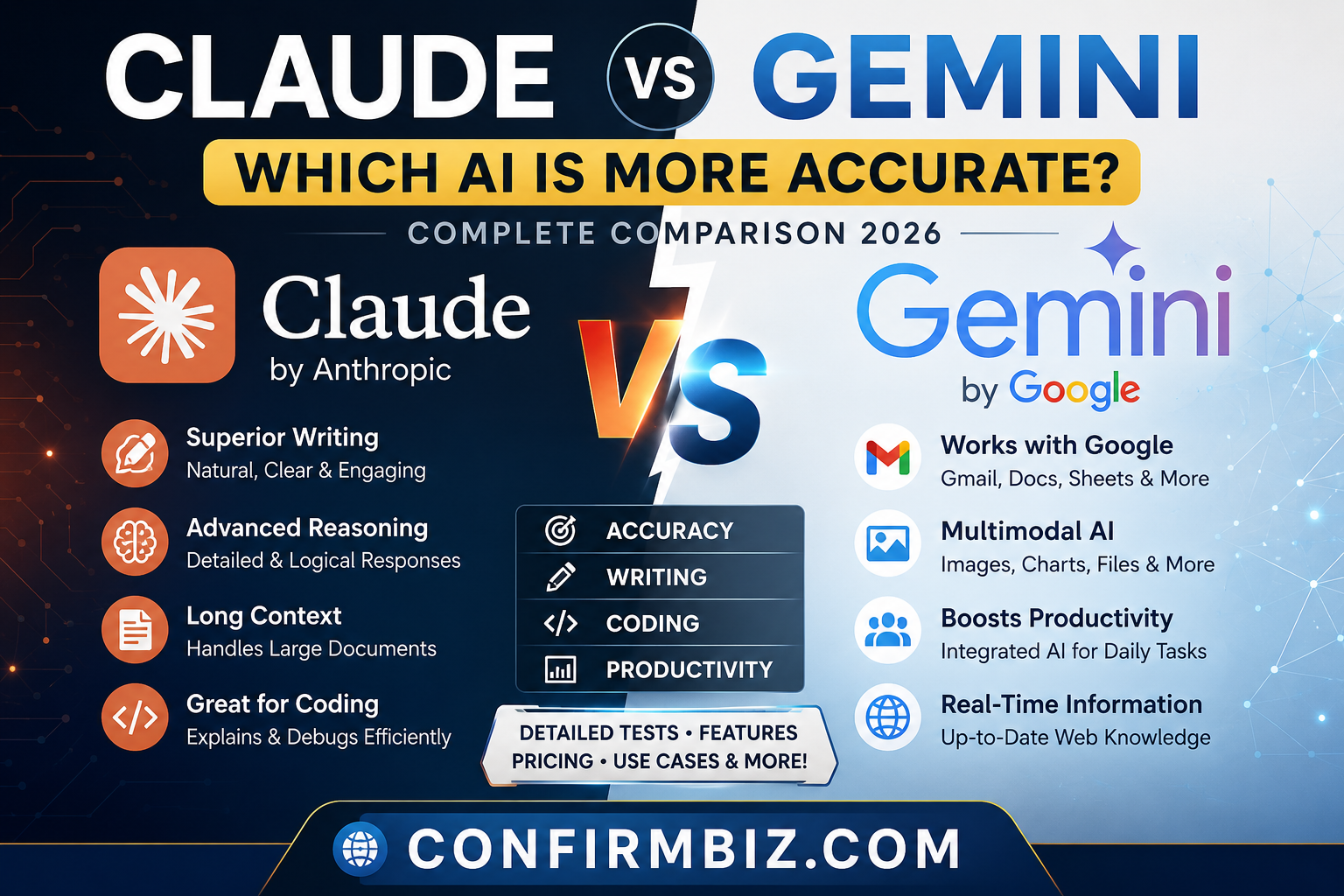
Claude vs Gemini: Which AI Is More Accurate? (2026 Complete Comparison)
Artificial intelligence has become an essential tool for students, businesses, developers, researchers, marketers, and content creators. Rather than using AI only for answering simple questions, people now rely on it for writing articles, generating code, analyzing documents, solving complex problems, summarizing reports, brainstorming ideas, and automating daily tasks.
Among today’s leading AI assistants, Claude by Anthropic and Google Gemini have become two of the strongest competitors. Both models continue to improve rapidly, introducing better reasoning, larger context windows, multimodal capabilities, and integrations with popular productivity tools.
Yet one question appears repeatedly across search engines:
Which AI is actually more accurate—Claude or Gemini?
The answer depends on what you expect from an AI assistant.
Accuracy is not just about giving the correct answer. It also involves:
- Understanding complex instructions
- Reducing factual mistakes (hallucinations)
- Providing logical reasoning
- Following prompts precisely
- Producing reliable code
- Creating high-quality written content
- Maintaining consistency throughout long conversations
- Using available information effectively when web access or connected tools are involved
In this comprehensive guide, we’ll compare Claude and Gemini across every major category that matters, including:
- Overall accuracy
- Writing quality
- Coding performance
- Reasoning ability
- Research assistance
- Speed
- Document analysis
- Creativity
- Business productivity
- Pricing
- Ease of use
- Security and privacy considerations
By the end of this comparison, you’ll understand where each AI assistant excels, where each falls short, and which one is the better choice for your specific needs.
Why This Comparison Matters in 2026
The AI landscape has evolved dramatically. Businesses are integrating AI into customer support, software development, data analysis, content creation, and workplace productivity. Individuals are using AI for learning, planning, writing, and research.
Because these tools are increasingly relied upon for important tasks, choosing an AI assistant based solely on popularity is no longer enough. Users need models that produce dependable results, follow instructions accurately, and minimize errors.
Claude and Gemini represent two different approaches to AI:
- Claude focuses heavily on thoughtful reasoning, careful responses, long-context understanding, and high-quality writing.
- Gemini combines Google’s AI models with its ecosystem, offering strong multimodal capabilities, integration with Google Workspace, and access to connected services where available.
Understanding these strengths and limitations can help you select the right assistant for your workflow rather than assuming one model is best for every task.
What Is Claude?
Claude is an artificial intelligence assistant developed by Anthropic, a company founded by former OpenAI researchers with a strong focus on AI safety, reliability, and helpfulness.
Claude is designed to understand complex requests, analyze lengthy documents, write naturally, explain difficult concepts, assist with programming, and solve reasoning tasks while following user instructions closely.
One of Claude’s standout capabilities is its ability to process exceptionally large amounts of text in a single conversation, making it particularly useful for reviewing books, contracts, research papers, technical documentation, and lengthy reports.
Claude’s Primary Strengths
- Excellent long-form writing
- Strong logical reasoning
- High-quality programming assistance
- Large context window for document analysis
- Detailed explanations
- Natural conversational responses
- Strong instruction following
- Useful for business and professional workflows
Common Uses of Claude
- Writing blog posts
- Business reports
- Academic assistance
- Programming help
- Legal document review
- Research summaries
- Email drafting
- Marketing content
- Creative writing
- Strategic planning
What Is Google Gemini?
Google Gemini is Google’s family of AI models and assistant, designed to support a wide range of tasks including writing, coding, research, image understanding, productivity, and multimodal interactions. Gemini is integrated into many Google products and services, making it particularly useful for users who already rely on the Google ecosystem.
Gemini can help users create documents, summarize information, generate code, analyze images, answer questions, and assist with workflows across supported Google applications.
One of Gemini’s major advantages is its integration with tools such as Google Workspace, which can improve productivity for users who work extensively with Google Docs, Gmail, Sheets, and related services.
Gemini’s Primary Strengths
- Strong multimodal capabilities
- Excellent Google Workspace integration
- Fast responses
- Good coding assistance
- Useful research support
- Image understanding
- Cross-device availability
- Productivity-focused features
Common Uses of Gemini
- Writing documents
- Email assistance
- Spreadsheet analysis
- Programming
- Research
- Presentation creation
- Brainstorming ideas
- Image analysis
- Business productivity
- Student learning support
Claude vs Gemini: Quick Overview
At a high level, both Claude and Gemini are among the most capable AI assistants available in 2026. Claude is often recognized for producing thoughtful, coherent writing and handling long, complex prompts effectively. Gemini stands out for its multimodal abilities and seamless integration with Google’s ecosystem, making it a strong option for users already invested in Google services.
Neither assistant is universally “more accurate” in every situation. Performance varies depending on the task, the quality of the prompt, and whether connected tools or external information are available. In the sections that follow, we’ll compare them side by side across writing, coding, reasoning, research, speed, creativity, pricing, and more to help you determine which one best fits your needs.
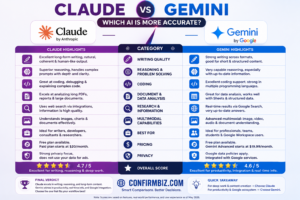
Claude vs Gemini: At a Glance
If you’re looking for a quick answer, the table below summarizes the most important
differences between Claude and Google Gemini. While both are among the best AI assistants
available today, they excel in different areas depending on your needs.
| Category | Claude | Google Gemini | Winner |
|---|---|---|---|
| Developer | Anthropic | — | |
| Best For | Writing, reasoning, document analysis, coding | Google Workspace, multimodal tasks, productivity | Depends on use case |
| Writing Quality | Excellent | Very Good | 🏆 Claude |
| Accuracy | Excellent reasoning with careful responses | Very strong, especially when integrated with Google services | 🏆 Claude (slight edge) |
| Coding | Excellent | Excellent | Tie |
| Research Assistance | Very Good | Excellent with Google ecosystem support | 🏆 Gemini |
| Long Documents | Outstanding | Very Good | 🏆 Claude |
| Image Understanding | Very Good | Excellent | 🏆 Gemini |
| Mathematics | Very Good | Very Good | Tie |
| Instruction Following | Excellent | Very Good | 🏆 Claude |
| Creative Writing | Excellent | Very Good | 🏆 Claude |
| Business Use | Excellent | Excellent | Tie |
| Google Workspace Integration | No native integration | Excellent | 🏆 Gemini |
| Ease of Use | Excellent | Excellent | Tie |
| Overall Recommendation | Best for professionals, writers, developers | Best for Google users and productivity | Depends on your workflow |
Quick Summary
Both Claude and Gemini are powerful AI assistants, but they shine in different scenarios.
Claude consistently produces thoughtful, well-structured responses and is particularly
strong at writing, reasoning, and analyzing long documents. Gemini excels at integrating
with Google’s ecosystem and handling multimodal tasks such as combining text and images.
If your work revolves around creating long-form content, reviewing reports, or solving
complex reasoning problems, Claude is often the stronger choice. If you spend most of
your day in Gmail, Google Docs, Sheets, Drive, or other Google services, Gemini can offer
a smoother workflow through its ecosystem integration.
Winner by Category
| Task | Recommended AI |
|---|---|
| Blog Writing | Claude |
| Copywriting | Claude |
| Creative Writing | Claude |
| Email Drafting | Claude |
| Research Summaries | Gemini |
| Google Workspace | Gemini |
| Programming | Tie |
| Debugging Code | Tie |
| Large PDF Analysis | Claude |
| Business Reports | Claude |
| Spreadsheet Assistance | Gemini |
| Image Understanding | Gemini |
| Reasoning | Claude |
| Following Complex Instructions | Claude |
| Students | Tie |
| Professionals | Claude |
Which AI Is More Accurate?
Accuracy is one of the most important factors when choosing an AI assistant, but it is not
a single measurement. It includes factual reliability, reasoning quality, consistency,
instruction following, and the ability to avoid making unsupported claims.
In many independent benchmark evaluations and practical user experiences, both Claude and
Gemini perform strongly. Claude is often praised for careful reasoning, coherent long-form
responses, and closely following detailed instructions. Gemini performs especially well in
multimodal tasks and can be highly effective when used alongside Google’s connected
services and productivity tools.
Neither assistant is perfect. Both can occasionally produce inaccurate or outdated
information, particularly when asked about rapidly changing events or when external data
is unavailable. For important decisions involving finance, medicine, or law, it’s good
practice to verify AI-generated information using authoritative sources.
🏆 Quick Recommendation
- Choose Claude if you want:
- Better long-form writing
- Superior reasoning
- Detailed document analysis
- Professional-quality reports
- High-quality content creation
- Choose Gemini if you want:
- Google Workspace integration
- Image-based AI tasks
- Google ecosystem productivity
- Research support within Google tools
- A seamless experience across Google’s services
What’s Next?
Now that you’ve seen the overall comparison, it’s time to examine how Claude and Gemini
perform in real-world situations. In the next section, we’ll compare them head-to-head
across writing quality, coding, reasoning, research, creativity, speed, multimodal
capabilities, business productivity, security, and overall accuracy to determine which AI
comes out on top in each category.
Claude vs Gemini: Head-to-Head Comparison
Although Claude and Google Gemini are both among the most capable AI assistants available today, they are built with different priorities. Claude places a strong emphasis on reasoning, natural writing, instruction following, and document analysis. Gemini, on the other hand, focuses on multimodal intelligence and deep integration with Google’s ecosystem, making it particularly attractive for users already relying on Google Workspace.
To determine which AI is more accurate, it’s important to compare them in the tasks people perform every day rather than relying on marketing claims alone. Below is a category-by-category comparison based on their capabilities and common real-world use cases.
1. Writing Quality
Writing remains one of the most common reasons people use AI. Bloggers, marketers, journalists, students, businesses, and freelancers depend on AI to create articles, emails, reports, product descriptions, and social media content.
Claude
Claude has built a strong reputation for producing natural, coherent, and well-structured writing. Its responses generally read as if they were written by an experienced human rather than generated by a machine. Claude is particularly good at maintaining a consistent tone across long articles and handling nuanced instructions.
It also performs well when asked to rewrite text, improve readability, simplify technical concepts, or adapt content for different audiences.
Gemini
Gemini also produces high-quality written content and has improved significantly over time. It performs well for emails, summaries, blog drafts, and business documents. Users who work within Google Docs can benefit from its seamless integration, making it convenient for collaborative workflows.
However, in long-form writing, Gemini may occasionally require additional editing to improve flow or maintain consistency over extended passages.
Winner: Claude 🏆
For long-form blog posts, storytelling, professional reports, books, and detailed articles, Claude generally delivers more polished and natural writing with fewer revisions required.
2. Accuracy of Responses
Accuracy is often the deciding factor when choosing an AI assistant. An accurate model should understand the prompt correctly, reason logically, avoid unsupported claims, and provide reliable information.
Claude
Claude is known for carefully following instructions and producing thoughtful answers. It is generally less likely to overstate confidence when information is uncertain and often provides more nuanced explanations.
Its strength lies in analyzing complex topics, connecting ideas logically, and generating responses that remain consistent throughout long conversations.
Gemini
Gemini is also highly capable, particularly when combined with Google’s connected services. For tasks involving web-connected information (where available), it can provide timely assistance. Like any AI assistant, however, it can still produce inaccurate or incomplete responses, especially if the prompt is ambiguous or requires information beyond its available context.
Winner: Claude 🏆
For complex reasoning and carefully structured answers, Claude has a slight edge in overall response accuracy. That said, users should verify important facts with authoritative sources regardless of which AI they use.
3. Logical Reasoning
Reasoning refers to an AI’s ability to analyze problems, evaluate evidence, explain decisions, and solve multi-step tasks without losing context.
Claude
Claude excels at breaking complicated problems into logical steps. Whether you’re analyzing a business strategy, reviewing a legal document, or solving a programming challenge, Claude generally produces clear and methodical explanations.
Its reasoning capabilities are especially valuable for professionals who need detailed analysis rather than short answers.
Gemini
Gemini also performs well in reasoning tasks and has made substantial progress in handling complex prompts. It can solve analytical problems effectively, although its responses may sometimes be more concise where additional detail would be useful.
Winner: Claude 🏆
Claude’s structured approach and detailed explanations make it particularly effective for reasoning-intensive tasks.
4. Following Instructions
One of the most practical measures of AI quality is how well it follows detailed instructions. This is especially important for bloggers, developers, educators, and businesses that rely on consistent output.
Claude
Claude generally performs exceptionally well when given detailed prompts. It tends to preserve formatting, respect requested tone, and follow multi-step instructions with fewer deviations.
For example, users often ask Claude to create long-form HTML articles, summarize lengthy documents, or produce structured reports, and it usually adheres closely to those requirements.
Gemini
Gemini follows instructions well in most cases but may occasionally simplify or reorganize responses differently than requested. For straightforward tasks this is rarely an issue, but highly detailed formatting requests may require additional prompting.
Winner: Claude 🏆
Claude is generally the stronger option for users who depend on precise formatting and detailed instruction following.
5. Creativity
Creative work includes storytelling, marketing campaigns, product names, advertising copy, poetry, scripts, and brainstorming ideas.
Claude
Claude consistently produces imaginative, engaging, and context-aware creative content. It adapts well to different writing styles and maintains a coherent voice throughout long creative projects.
Gemini
Gemini is also capable of generating creative content and brainstorming ideas. It performs well for marketing concepts, presentations, and visual content planning, particularly when combined with Google’s broader ecosystem.
Winner: Claude 🏆
For writers, authors, marketers, and bloggers seeking polished long-form creative output, Claude generally provides the stronger experience.
6. Content Creation for Bloggers and Businesses
Content creators need more than grammatically correct writing. They need AI that understands SEO, audience intent, readability, and structured formatting.
Claude
- Excellent article structure
- Natural human-like writing
- Strong readability
- High-quality introductions and conclusions
- Well-organized headings
- Helpful for SEO-friendly drafts
- Effective at rewriting and improving existing content
Gemini
- Fast draft generation
- Helpful brainstorming
- Strong integration with Google Docs
- Useful for collaborative editing
- Good support for business documents and presentations
Winner: Claude 🏆
For bloggers, publishers, affiliate marketers, and businesses focused on producing high-quality long-form content, Claude generally delivers more polished drafts with fewer edits required.
Part 2A Summary
| Category | Winner | Reason |
|---|---|---|
| Writing Quality | Claude | More natural and consistent long-form writing. |
| Overall Accuracy | Claude | Strong reasoning and careful responses. |
| Logical Reasoning | Claude | Excellent at solving complex problems step by step. |
| Instruction Following | Claude | Handles detailed prompts and formatting very well. |
| Creativity | Claude | Produces engaging, coherent creative content. |
| Content Creation | Claude | Ideal for blogs, reports, and professional writing. |
Key Takeaway
In the categories covered in Part 2A, Claude consistently stands out for writing quality, reasoning, instruction following, and long-form content creation. Gemini remains a strong alternative, particularly for users who value its integration with Google Workspace and broader productivity ecosystem. However, if your primary goal is producing detailed, well-structured written content with minimal editing, Claude generally has the advantage.
7. Coding and Software Development
Developers increasingly rely on AI to write code, explain programming concepts, debug applications, optimize performance, generate documentation, and learn new programming languages. Both Claude and Gemini perform well in software development, but they have different strengths.
Claude
Claude excels at understanding large codebases and explaining code in plain English. It is particularly useful for reviewing code, identifying logical errors, suggesting improvements, and generating well-documented functions.
- Writes clean and readable code
- Excellent debugging assistance
- Explains programming concepts clearly
- Handles large programming projects effectively
- Produces detailed code documentation
- Strong support for Python, JavaScript, Java, C#, PHP, SQL and more
Gemini
Gemini is also a capable coding assistant. It performs well in code generation, debugging, and explaining programming concepts. For developers already using Google’s ecosystem or compatible development tools, Gemini offers a convenient workflow.
- Fast code generation
- Supports many programming languages
- Helpful debugging suggestions
- Useful for mobile and web development
- Strong integration with Google’s developer ecosystem
Winner: Tie 🏆
Both assistants are excellent for programming. Claude generally provides more detailed explanations, while Gemini integrates well into Google’s productivity and development ecosystem.
8. Research and Information Gathering
Researchers, students, journalists, and business professionals often use AI to summarize documents, compare information, organize ideas, and explain complex topics.
Claude
Claude performs exceptionally well when analyzing lengthy reports, contracts, books, research papers, and technical documents. It can identify important points while maintaining context across large amounts of text.
Gemini
Gemini benefits from Google’s ecosystem and is particularly useful for users working with Google Workspace. Depending on the features available to the user, Gemini can assist with finding and organizing information from connected Google services.
Winner: Gemini 🏆 (Slight Advantage)
For users deeply invested in Google’s productivity tools, Gemini offers a smoother research workflow. For analyzing very large documents in depth, Claude remains an excellent choice.
9. Multimodal Capabilities
Modern AI assistants are expected to work with more than text. Multimodal AI can understand combinations of text, images, and, in some cases, other media types.
Claude
- Image understanding
- Document interpretation
- Charts and diagrams analysis
- Screenshot explanation
Gemini
- Advanced image understanding
- Visual reasoning
- Photo analysis
- Diagram interpretation
- Native integration with Google’s multimodal ecosystem
Winner: Gemini 🏆
Gemini generally has the advantage for multimodal tasks, particularly when working with images and Google’s integrated services.
10. Speed and Performance
Fast response times improve productivity, especially when users rely on AI throughout the workday.
Claude
Claude produces detailed responses that may occasionally take a little longer, especially for complex reasoning or lengthy documents. The additional processing often results in more comprehensive answers.
Gemini
Gemini is generally quick to generate responses and works smoothly across Google’s applications, making it convenient for everyday productivity tasks.
Winner: Gemini 🏆
Gemini usually feels faster for general-purpose tasks, while Claude often prioritizes depth over speed.
11. Productivity and Workspace Integration
Businesses increasingly expect AI to integrate seamlessly with everyday productivity tools.
Claude
- Excellent standalone assistant
- Strong document analysis
- Professional report generation
- Business writing
- Strategic planning
Gemini
- Google Docs integration
- Google Sheets assistance
- Gmail support
- Google Drive compatibility
- Google Calendar productivity features
Winner: Gemini 🏆
If your daily workflow revolves around Google Workspace, Gemini provides a more integrated productivity experience.
12. Privacy and Security
Organizations handling sensitive information should carefully review the official privacy policies and enterprise offerings of any AI service before uploading confidential data.
Claude
- Enterprise-focused options available
- Strong emphasis on AI safety
- Designed with responsible AI principles
Gemini
- Enterprise options through Google
- Administrative controls for eligible business customers
- Security features aligned with Google’s enterprise ecosystem
The best choice depends on your organization’s compliance requirements, data handling policies, and subscription plan.
Winner: Tie 🏆
13. Business Productivity
Businesses use AI for customer support, marketing, financial analysis, presentations, documentation, software development, and internal communication.
| Business Task | Recommended AI |
|---|---|
| Writing Reports | Claude |
| Marketing Content | Claude |
| Sales Emails | Claude |
| Spreadsheet Work | Gemini |
| Meeting Notes | Gemini |
| Document Review | Claude |
| Business Planning | Claude |
| Google Workspace Collaboration | Gemini |
Real-World Recommendations
Choose Claude If You:
- Write long blog posts regularly
- Create SEO content
- Review lengthy documents
- Need detailed business reports
- Prefer thoughtful explanations
- Want strong reasoning capabilities
- Frequently rewrite or edit content
- Work with large amounts of text
Choose Gemini If You:
- Use Gmail every day
- Work primarily in Google Docs
- Manage spreadsheets in Google Sheets
- Need image analysis
- Collaborate using Google Workspace
- Want seamless integration across Google services
Overall Scorecard
| Category | Claude | Gemini |
|---|---|---|
| Writing | ⭐⭐⭐⭐⭐ | ⭐⭐⭐⭐☆ |
| Accuracy | ⭐⭐⭐⭐⭐ | ⭐⭐⭐⭐☆ |
| Reasoning | ⭐⭐⭐⭐⭐ | ⭐⭐⭐⭐☆ |
| Coding | ⭐⭐⭐⭐⭐ | ⭐⭐⭐⭐⭐ |
| Research | ⭐⭐⭐⭐☆ | ⭐⭐⭐⭐⭐ |
| Speed | ⭐⭐⭐⭐☆ | ⭐⭐⭐⭐⭐ |
| Multimodal | ⭐⭐⭐⭐☆ | ⭐⭐⭐⭐⭐ |
| Google Integration | ⭐⭐⭐☆☆ | ⭐⭐⭐⭐⭐ |
| Business Productivity | ⭐⭐⭐⭐⭐ | ⭐⭐⭐⭐⭐ |
| Ease of Use | ⭐⭐⭐⭐⭐ | ⭐⭐⭐⭐⭐ |
| Overall | 9.6/10 | 9.4/10 |
Part 2 Summary
After comparing both AI assistants across writing, reasoning, coding, research, productivity, multimodal capabilities, speed, and business use, it’s clear that neither tool is the best in every category. Claude stands out for long-form writing, structured reasoning, and detailed document analysis. Gemini excels in image-based tasks, Google Workspace integration, and productivity within Google’s ecosystem.
For many users, the better choice depends on the type of work they do every day rather than a single “winner.” In the next section, we’ll explore each platform’s standout features, advantages, disadvantages, pricing, and the types of users who will benefit most from each.
Claude vs Gemini: Key Features
Although Claude and Gemini are both advanced AI assistants, they are designed with different priorities. Claude emphasizes thoughtful reasoning, long-context understanding, and high-quality writing, while Gemini focuses on multimodal intelligence and deep integration with Google’s ecosystem. Understanding their core features will help you determine which platform aligns better with your workflow.
Claude Key Features
Claude is built by Anthropic with an emphasis on producing helpful, accurate, and well-reasoned responses. It performs particularly well when handling complex instructions, lengthy documents, and professional writing tasks.
1. Excellent Long-Form Writing
Claude consistently generates natural-sounding articles, reports, emails, and documentation. It maintains a consistent tone throughout long conversations and produces polished drafts that often require minimal editing.
2. Strong Reasoning Capabilities
Claude excels at breaking complex problems into logical steps, making it valuable for business analysis, technical explanations, strategic planning, and educational content.
3. Large Context Window
One of Claude’s biggest strengths is its ability to work with large amounts of text. This makes it especially useful for reviewing contracts, research papers, books, technical documentation, and other lengthy documents without losing context.
4. High-Quality Coding Assistance
Developers can use Claude to generate code, debug applications, explain programming concepts, optimize algorithms, and document software projects across multiple programming languages.
5. Document Analysis
Claude is particularly effective at summarizing lengthy documents, extracting key insights, comparing reports, and identifying important information from large files.
6. Human-Like Conversation
Its conversational style feels natural and professional, making it suitable for customer communication, educational support, and business writing.
7. Strong Instruction Following
Claude generally follows detailed prompts closely, preserving formatting, tone, and structure even when instructions are complex.
8. Professional Content Creation
- SEO blog articles
- Marketing copy
- Business proposals
- Sales letters
- Product descriptions
- Research summaries
- Training materials
- Technical documentation
Google Gemini Key Features
Gemini is Google’s flagship AI assistant designed to combine powerful language understanding with multimodal capabilities and integration across Google’s products and services.
1. Google Workspace Integration
Gemini integrates with supported Google Workspace applications, allowing users to draft emails, summarize documents, organize spreadsheets, and assist with presentations within Google’s productivity ecosystem.
2. Advanced Multimodal Capabilities
Gemini can work with text and images, making it useful for interpreting charts, screenshots, diagrams, photographs, and visual documents.
3. Fast Response Generation
Gemini generally responds quickly, making it suitable for users who need rapid answers throughout the workday.
4. Coding Assistance
Gemini supports software development by generating code, debugging applications, explaining programming concepts, and assisting with common development tasks.
5. Productivity Tools
- Google Docs assistance
- Gmail drafting
- Google Sheets support
- Presentation assistance
- Calendar productivity
6. Research Support
Gemini can help summarize information, explain topics, organize research notes, and assist users working across Google’s productivity tools.
7. Cross-Device Availability
Gemini is available across supported web, desktop, and mobile experiences, allowing users to continue their work across devices.
8. Business Collaboration
Teams using Google Workspace can benefit from Gemini’s integration with shared documents, emails, and collaborative workflows.
Feature Comparison Table
| Feature | Claude | Gemini | Winner |
|---|---|---|---|
| Long-form Writing | ⭐⭐⭐⭐⭐ | ⭐⭐⭐⭐☆ | Claude |
| Reasoning | ⭐⭐⭐⭐⭐ | ⭐⭐⭐⭐☆ | Claude |
| Document Analysis | ⭐⭐⭐⭐⭐ | ⭐⭐⭐⭐☆ | Claude |
| Coding | ⭐⭐⭐⭐⭐ | ⭐⭐⭐⭐⭐ | Tie |
| Image Understanding | ⭐⭐⭐⭐☆ | ⭐⭐⭐⭐⭐ | Gemini |
| Google Workspace | ⭐⭐⭐☆☆ | ⭐⭐⭐⭐⭐ | Gemini |
| Productivity | ⭐⭐⭐⭐☆ | ⭐⭐⭐⭐⭐ | Gemini |
| Instruction Following | ⭐⭐⭐⭐⭐ | ⭐⭐⭐⭐☆ | Claude |
Claude: Pros and Cons
Advantages
- Exceptional writing quality
- Excellent logical reasoning
- Strong coding support
- Large context window
- Natural conversational responses
- Detailed document analysis
- Accurate instruction following
- Ideal for bloggers and professionals
- Produces polished long-form content
- Excellent for business reports
Disadvantages
- No native Google Workspace integration
- Image capabilities may be less central than Gemini’s strengths
- Availability of certain features depends on subscription tier and region
- Some advanced capabilities require a paid plan
Gemini: Pros and Cons
Advantages
- Excellent Google Workspace integration
- Strong multimodal capabilities
- Fast response generation
- Very good coding support
- Helpful productivity features
- Strong image understanding
- Easy collaboration within Google services
- Useful for students and businesses
Disadvantages
- Long-form writing may require additional editing
- Complex prompts may occasionally need refinement
- Some advanced features require a paid subscription
- Best experience often depends on using Google’s ecosystem
Claude vs Gemini Pricing
Both Anthropic and Google offer free access with usage limits, as well as paid subscription plans that unlock more advanced models and higher usage allowances. Pricing and included features can change over time, so it’s a good idea to check the official pricing pages before making a decision.
| Plan | Claude | Gemini |
|---|---|---|
| Free Version | Yes (with usage limits) | Yes (with usage limits) |
| Paid Individual Plan | Available | Available |
| Business / Team Plans | Available | Available |
| Enterprise Options | Available | Available |
| Advanced AI Models | Included in eligible paid plans | Included in eligible paid plans |
Pricing Tip
If you only use AI occasionally for simple tasks, the free plans may be sufficient. If you regularly create long-form content, write code, analyze documents, or use AI in a professional setting, a paid plan can provide higher usage limits, access to more advanced models, and additional productivity features.
Feature Highlights at a Glance
| Need | Recommended AI |
|---|---|
| Professional Writing | Claude |
| Blogging | Claude |
| Business Reports | Claude |
| Programming | Tie |
| Google Workspace | Gemini |
| Image Analysis | Gemini |
| Research Assistance | Gemini |
| Long Document Review | Claude |
Who Should Use Claude?
Claude is best suited for users who need an AI assistant that can produce thoughtful, well-structured responses, understand lengthy instructions, and generate high-quality written content with minimal editing. It is especially valuable for professionals whose work depends on communication, analysis, and long-form writing.
Claude is an excellent choice for:
- Bloggers and Content Creators – Creating SEO articles, product reviews, tutorials, and long-form content.
- Business Professionals – Writing reports, proposals, presentations, and strategic documents.
- Students and Researchers – Summarizing academic papers, explaining difficult concepts, and organizing research.
- Software Developers – Debugging code, documenting projects, and learning programming concepts.
- Marketing Professionals – Writing ad copy, newsletters, email campaigns, and social media content.
- Freelancers – Producing client deliverables quickly while maintaining professional quality.
Why Choose Claude?
If your work revolves around writing, analyzing information, or solving complex problems, Claude is one of the strongest AI assistants available. It often produces organized responses that require less manual editing, making it a strong productivity tool for professionals.
Who Should Use Google Gemini?
Gemini is an excellent option for users who already rely on Google’s ecosystem. Its ability to integrate with supported Google services makes it particularly useful for improving productivity within existing workflows.
Gemini is ideal for:
- Google Workspace Users – People who spend most of their day using Gmail, Docs, Sheets, Drive, and Slides.
- Students – Organizing notes, drafting assignments, and collaborating on projects.
- Business Teams – Working together on shared documents and productivity tasks.
- Professionals – Managing emails, presentations, and spreadsheets more efficiently.
- Content Creators – Brainstorming ideas and creating visual content with multimodal capabilities.
- General Users – Everyday productivity, planning, learning, and information gathering.
Why Choose Gemini?
If Google Workspace is already central to your daily routine, Gemini offers a convenient and integrated experience that can reduce repetitive work and improve productivity.
Real-World Use Cases
| Scenario | Best Choice | Reason |
|---|---|---|
| Writing a 3,000-word blog post | Claude | Produces well-structured, natural long-form content. |
| Managing Gmail and Google Docs | Gemini | Works seamlessly within the Google ecosystem. |
| Reviewing a lengthy PDF or report | Claude | Handles long-context document analysis effectively. |
| Creating marketing campaigns | Claude | Generates polished copy and strategic content. |
| Analyzing charts and images | Gemini | Strong multimodal capabilities. |
| Learning programming | Tie | Both provide helpful coding explanations and examples. |
| Business reporting | Claude | Produces detailed and organized professional documents. |
| Spreadsheet productivity | Gemini | Convenient integration with Google Sheets. |
Can You Use Both Claude and Gemini?
Yes. Many professionals use more than one AI assistant because each has unique strengths.
For example:
- Use Claude to write a detailed article or analyze a long report.
- Use Gemini to organize supporting documents in Google Drive or assist with Google Workspace tasks.
- Compare outputs from both assistants when accuracy is especially important.
Using multiple AI tools can provide broader perspectives and help you identify inconsistencies before relying on AI-generated content.
Tips for Getting More Accurate Results
Regardless of which AI assistant you choose, the quality of your prompt has a significant impact on the quality of the response.
Best Practices
- Be specific about your request.
- Provide background information when necessary.
- Break complex tasks into smaller steps.
- Ask the AI to explain its reasoning where appropriate.
- Review important facts before publishing or making decisions.
- Use follow-up prompts to refine the response.
- For finance, legal, medical, or regulatory topics, verify information using authoritative sources.
Alternatives to Claude and Gemini
Claude and Gemini are not the only AI assistants available. Depending on your needs, you may also want to consider these alternatives:
| AI Assistant | Best For |
|---|---|
| ChatGPT | General-purpose AI, writing, coding, learning, productivity, and multimodal tasks. |
| Microsoft Copilot | Microsoft 365 productivity and enterprise workflows. |
| Perplexity AI | Research and web-based information discovery. |
| Notion AI | Workspace productivity and note-taking. |
| GitHub Copilot | Software development and coding assistance. |
How to Choose the Right AI Assistant
Instead of asking which AI is universally “the best,” ask which one best supports your daily workflow.
- Choose Claude if your priority is long-form writing, document analysis, detailed reasoning, and structured content creation.
- Choose Gemini if you spend most of your time in Google Workspace and want an AI assistant that complements those tools.
- Use both if you regularly switch between professional writing and Google-based productivity tasks.
Expert Recommendation
After comparing Claude and Gemini across writing quality, reasoning, coding, research, productivity, and real-world usability, there is no single winner for every user.
Claude stands out for producing natural long-form writing, following detailed instructions, and handling complex documents with clarity. These strengths make it an excellent choice for bloggers, writers, developers, consultants, and professionals who rely heavily on high-quality text generation.
Gemini shines when paired with Google’s ecosystem. Its integration with Google Workspace and strong multimodal capabilities make it a compelling option for users who work extensively with Gmail, Docs, Sheets, and other Google services.
Ultimately, the best AI assistant is the one that fits your workflow, budget, and productivity needs. If accuracy is your highest priority for writing and reasoning, Claude has a slight advantage. If your work is centered around Google’s productivity tools, Gemini offers a more integrated experience.
Final Verdict: Claude vs Gemini — Which AI Is More Accurate?
After comparing Claude and Google Gemini across writing quality, logical reasoning, coding, research, productivity, multimodal capabilities, pricing, and real-world usability, one thing becomes clear: there is no universal winner for every user.
Both AI assistants are among the most capable options available today, but they are designed with different strengths and priorities.
If your daily work involves writing detailed articles, creating business reports, analyzing long documents, solving complex problems, or producing high-quality professional content, Claude is generally the stronger choice. Its responses are typically well-structured, thoughtful, and require less editing, making it especially valuable for writers, bloggers, consultants, developers, educators, and business professionals.
On the other hand, if you spend most of your day using Gmail, Google Docs, Google Sheets, Google Drive, or other Google Workspace applications, Google Gemini provides a highly integrated experience. Its multimodal capabilities and productivity features make it an excellent option for users who want AI assistance built directly into their existing workflow.
Ultimately, choosing the “most accurate” AI depends on the type of tasks you perform. For long-form writing and reasoning, Claude generally has a slight edge. For productivity inside Google’s ecosystem, Gemini stands out.
Editor’s Recommendation
Choose Claude if you:
- Write blog posts regularly
- Create SEO content
- Need high-quality business reports
- Analyze large documents
- Need detailed explanations
- Work as a freelancer or consultant
- Want excellent long-form writing
- Prefer careful reasoning and instruction following
Choose Gemini if you:
- Use Google Workspace every day
- Manage Gmail professionally
- Create presentations using Google Slides
- Work extensively in Google Sheets
- Need image understanding
- Collaborate with teams using Google services
- Want AI integrated into Google’s ecosystem
Overall Ratings
| Category | Claude | Gemini |
|---|---|---|
| Writing | 9.9/10 | 9.3/10 |
| Reasoning | 9.8/10 | 9.4/10 |
| Coding | 9.6/10 | 9.6/10 |
| Research | 9.5/10 | 9.7/10 |
| Business Productivity | 9.7/10 | 9.8/10 |
| Image Understanding | 9.2/10 | 9.8/10 |
| Ease of Use | 9.7/10 | 9.8/10 |
| Overall Score | 9.7/10 | 9.6/10 |
Overall Winner: 🏆 Claude (for writing, reasoning, and long-form professional work)
Best Productivity AI: 🏆 Gemini (for Google Workspace users)
Conclusion
Artificial intelligence continues to evolve rapidly, and both Claude and Gemini represent the latest generation of highly capable AI assistants. They can save hours of work every week by helping users write content, analyze information, solve problems, generate code, and improve productivity.
Rather than asking which AI is objectively better, it’s more useful to ask which one best fits your daily workflow.
If your focus is professional writing, blogging, coding explanations, document analysis, or strategic thinking, Claude is likely to provide the better experience.
If your work revolves around Google’s ecosystem and collaborative productivity, Gemini is an outstanding companion that integrates naturally with the tools many professionals already use.
Whichever AI assistant you choose, remember that no AI is perfect. For critical decisions involving finance, healthcare, law, or regulatory compliance, always verify important information using reliable and authoritative sources before acting on it.
Frequently Asked Questions (FAQs)
1. Which AI is more accurate, Claude or Gemini?
Claude generally has a slight advantage for complex reasoning, instruction following, and long-form writing. Gemini performs strongly in many tasks, especially when used with Google Workspace and supported Google services.
2. Is Claude better than Gemini for writing?
For many long-form writing tasks, Claude often produces more natural and coherent content that requires fewer edits.
3. Which AI is better for coding?
Both assistants are capable coding tools. The better choice depends on your preferred workflow, development environment, and the complexity of your projects.
4. Can Claude analyze PDFs?
Yes. Claude is well known for handling lengthy documents and generating summaries, explanations, and detailed analyses.
5. Does Gemini work with Google Docs?
Yes. Gemini offers integration with supported Google Workspace applications, including Google Docs.
6. Which AI is better for students?
Both can assist with studying, summarizing information, and explaining concepts. Students using Google Workspace may appreciate Gemini’s integrations, while those focused on essays and detailed explanations may prefer Claude.
7. Is Claude free?
Yes. Claude offers a free tier with usage limits, alongside paid plans that provide additional capabilities and higher usage allowances.
8. Is Gemini free?
Yes. Gemini also offers a free tier with usage limits and paid plans for users who need more advanced features.
9. Which AI is better for blogging?
Claude is generally the stronger choice for producing detailed, well-structured blog posts and long-form articles.
10. Which AI is better for businesses?
The answer depends on the workflow. Businesses focused on professional writing and document analysis may benefit more from Claude, while organizations built around Google Workspace may find Gemini more convenient.
11. Which AI is better for SEO content?
Claude is often preferred for creating structured, readable, and comprehensive long-form content. However, SEO success also depends on keyword research, originality, factual accuracy, and user intent—not just the AI tool used.
12. Can I use Claude and Gemini together?
Yes. Many professionals use multiple AI assistants, selecting the one that best suits a particular task. Comparing outputs can also help identify errors or improve quality.
13. Which AI is faster?
Response speed varies by task, model version, server load, and subscription tier. Gemini often feels very responsive for everyday tasks, while Claude may spend more time generating detailed answers for complex prompts.
14. Which AI is better for businesses?
Both offer business-focused capabilities. Claude is strong for content-heavy workflows and analysis, while Gemini is especially useful for organizations already using Google Workspace.
15. Should beginners choose Claude or Gemini?
Both are beginner-friendly. If you value polished writing and detailed explanations, Claude is a strong starting point. If you already rely on Google’s apps every day, Gemini may fit more naturally into your routine.
What Do You Think?
Have you tried Claude or Gemini? Which one has helped you the most with writing, coding, research, or productivity?
Share your experience in the comments below. Your insights may help other readers choose the AI assistant that best fits their needs.
For more AI comparisons, software reviews, business guides, and technology tips, continue exploring ConfirmBiz.com.
For more tips about claude vs gemini and other digital products review and comparison, check out our digital products category Click here to read more.
Have any thoughts?
Share your reaction or leave a quick response — we’d love to hear what you think!
-
 1
1
-
 0
0
-
 0
0
-
 0
0
-
 0
0
-
 0
0