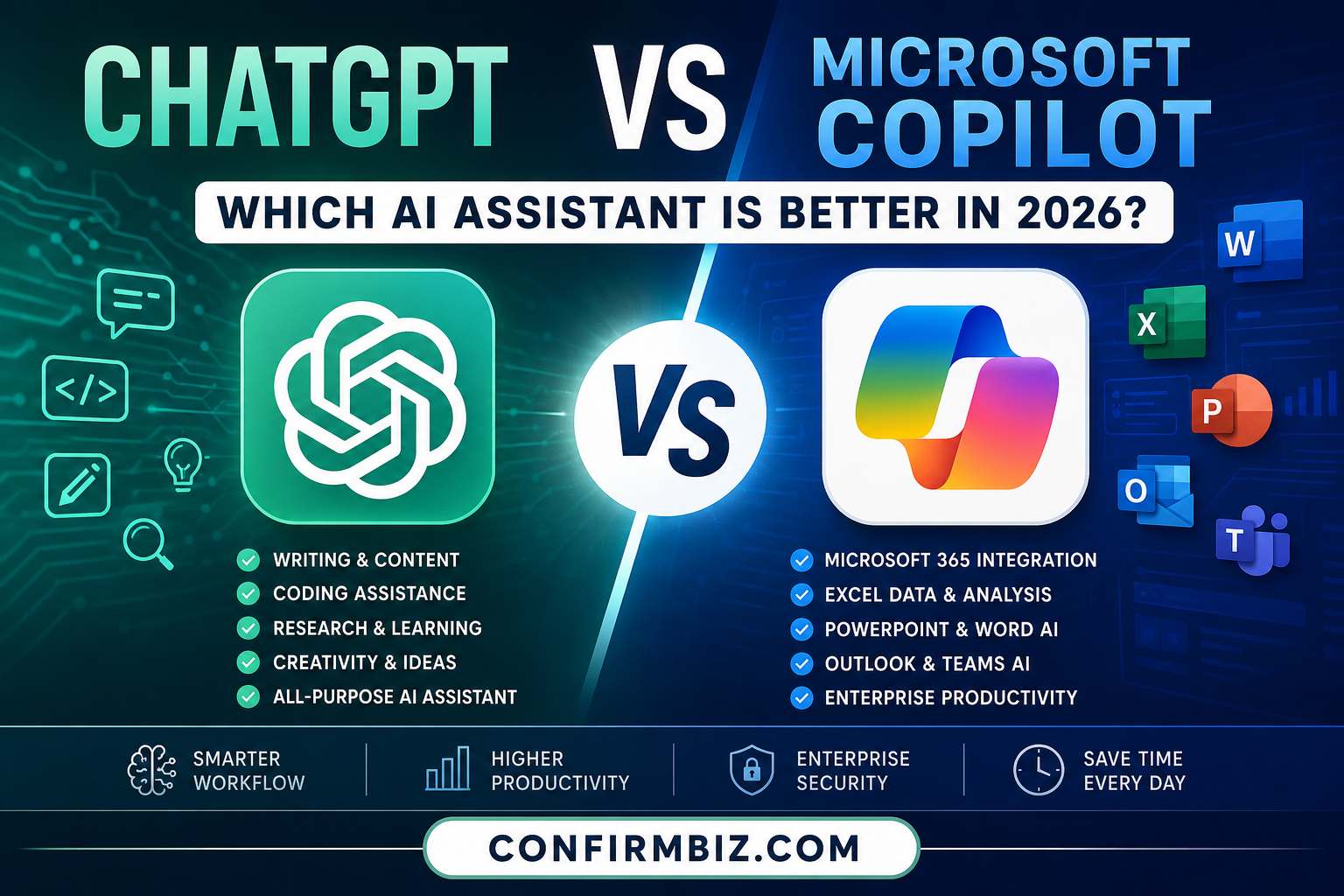
ChatGPT vs Microsoft Copilot: Which AI Assistant Is Better in 2026?
Artificial intelligence has become more than just a trend—it is now a practical tool that helps people write, research, code, analyze data, create images, summarize documents, automate tasks, and improve productivity. Whether you’re a student, business owner, freelancer, developer, marketer, or office professional, chances are you’ve already used or considered using an AI assistant.
Among the many AI tools available today, ChatGPT and Microsoft Copilot consistently rank among the most popular. Both are powered by advanced large language models and offer impressive capabilities, but they are built with different priorities in mind.
ChatGPT focuses on flexibility, creativity, deep reasoning, coding assistance, and custom AI workflows. Microsoft Copilot, on the other hand, is deeply integrated into the Microsoft ecosystem, making it especially useful for people who work with Word, Excel, PowerPoint, Outlook, Teams, and Windows.
At first glance, these AI assistants may seem similar because both can answer questions, generate content, summarize information, and assist with everyday tasks. However, once you look deeper, you’ll notice significant differences in how they perform, what features they offer, their pricing models, and which users they serve best.
In this comprehensive comparison, we’ll examine ChatGPT and Microsoft Copilot across every important category—from writing quality and coding ability to productivity, business use, pricing, security, and real-world performance. By the end, you’ll have a clear understanding of which AI assistant is the better fit for your specific needs.
Quick Verdict
If you’re looking for an AI assistant that excels at writing, brainstorming, coding, research, learning, and creative tasks across many domains, ChatGPT is generally the stronger all-around choice.
If your daily work revolves around Microsoft 365 apps such as Word, Excel, Outlook, Teams, and PowerPoint, and you want AI built directly into those tools, Microsoft Copilot offers a more seamless productivity experience.
The best option depends on how you work—not just which AI model is more powerful.
Why This Comparison Matters
AI assistants are no longer simple chatbots. They have evolved into intelligent productivity companions that can automate repetitive tasks, improve communication, accelerate research, generate business reports, analyze spreadsheets, assist with software development, and even create multimedia content.
Choosing the wrong AI tool can result in unnecessary subscription costs, reduced productivity, and missed opportunities to streamline your workflow. Selecting the right assistant can save hours each week and significantly enhance your efficiency.
This comparison is designed to help you make an informed decision based on your goals, whether you’re:
- Running a business
- Managing a remote team
- Creating content
- Building software
- Studying at school or university
- Managing office documents
- Marketing products online
- Conducting research
- Growing a blog or website
- Using AI for everyday productivity
ChatGPT vs Microsoft Copilot at a Glance
| Category | ChatGPT | Microsoft Copilot |
|---|---|---|
| Developer | OpenAI | Microsoft |
| Launch Year | 2022 | 2023 (rebranded from Bing Chat) |
| Primary Purpose | General AI assistant for writing, coding, research, creativity, learning, and automation | AI productivity assistant deeply integrated with Microsoft products and services |
| Best For | Writers, students, developers, marketers, freelancers, researchers, creators | Office professionals, Microsoft 365 users, enterprise teams |
| Writing Quality | Excellent | Very Good |
| Creative Writing | Excellent | Good |
| Coding Assistance | Excellent | Very Good |
| Spreadsheet Assistance | Very Good | Excellent with Excel integration |
| Microsoft Word Integration | Manual copy and paste or integrations | Native integration |
| PowerPoint Assistance | Creates outlines and content | Can generate presentations directly within PowerPoint (with supported Microsoft 365 plans) |
| Email Assistance | Excellent drafting | Integrated directly with Outlook |
| Business Productivity | Excellent | Excellent |
| Research | Excellent | Very Good |
| Image Generation | Available | Available |
| Voice Conversations | Available | Available |
| Custom AI Tools | Supports custom GPTs and workflows | Limited compared to ChatGPT |
| Enterprise Features | Available | Available |
| Overall Flexibility | ★★★★★ | ★★★★☆ |
What Is ChatGPT?
ChatGPT is an advanced conversational AI developed by OpenAI. Since its launch in late 2022, it has become one of the most widely used AI assistants in the world, serving millions of users across education, business, software development, marketing, customer support, and creative industries.
Unlike traditional chatbots that rely on scripted responses, ChatGPT understands context, follows complex instructions, generates detailed content, solves programming problems, analyzes files, assists with brainstorming, explains difficult concepts, and supports multimodal interactions such as images and voice.
One of ChatGPT’s biggest strengths is its versatility. It adapts to a wide variety of tasks, including:
- Writing blog posts
- Creating marketing copy
- Generating business plans
- Writing code
- Debugging software
- Data analysis
- Learning assistance
- Document summarization
- Language translation
- Resume writing
- Interview preparation
- SEO optimization
- Content strategy
- Financial analysis
- Creative storytelling
Its broad capabilities make it a preferred choice for users who need one AI assistant that can handle many different types of work.
What Is Microsoft Copilot?
Microsoft Copilot is Microsoft’s AI assistant designed to enhance productivity across Windows and Microsoft 365. Built on advanced language models and tightly integrated with Microsoft’s ecosystem, Copilot is intended to help users work faster within familiar applications like Word, Excel, PowerPoint, Outlook, Teams, and Windows.
Rather than replacing these applications, Copilot acts as an intelligent assistant inside them. It can draft documents, summarize meetings, analyze spreadsheets, generate presentations, manage emails, and answer questions using organizational data—depending on the Microsoft 365 subscription and permissions available.
This deep integration makes Copilot especially valuable for professionals and organizations already invested in Microsoft’s productivity suite.
Key Strengths of ChatGPT
- Excellent long-form writing capabilities
- Strong coding and debugging support
- Advanced reasoning and brainstorming
- Custom GPTs for specialized workflows
- Image creation and analysis
- Voice interaction
- Research assistance
- SEO content generation
- Business planning
- Learning and tutoring
- Automation through integrations
- Useful across many industries and professions
Key Strengths of Microsoft Copilot
- Deep integration with Microsoft Word
- Works directly inside Excel
- PowerPoint presentation creation
- Outlook email assistance
- Teams meeting summaries
- Windows productivity features
- Enterprise-focused security and administration
- Microsoft 365 collaboration
- Document summarization
- Spreadsheet analysis
- Business workflow optimization
Which AI Assistant Is Right for You?
There isn’t a single AI assistant that’s best for everyone. Your ideal choice depends on how you work, the software you already use, and the types of tasks you perform most often.
If you spend your day writing articles, creating marketing content, coding applications, researching topics, or managing multiple creative projects, ChatGPT offers exceptional flexibility and depth.
If your workflow is centered around Microsoft 365 and Windows—drafting documents in Word, analyzing data in Excel, building presentations in PowerPoint, and communicating through Outlook and Teams—Microsoft Copilot can streamline those tasks by bringing AI directly into the applications you already use.
ChatGPT vs Microsoft Copilot: Head-to-Head Comparison
Now that we’ve introduced both AI assistants, it’s time to compare them where it matters most. Although ChatGPT and Microsoft Copilot share many similarities, they are designed with different goals in mind. ChatGPT aims to be a versatile AI assistant for nearly every type of task, while Microsoft Copilot is built to enhance productivity within the Microsoft ecosystem.
Below is a detailed comparison across the areas that most users care about, including writing, coding, research, creativity, office productivity, security, collaboration, and overall value.
1. User Interface and Ease of Use
A good AI assistant should be easy to use, regardless of whether you’re a beginner or an experienced professional.
ChatGPT
ChatGPT offers a clean, distraction-free interface that focuses on conversation. Users can organize chats into folders or projects (where available), upload files, analyze images, generate images, use voice conversations, and switch between different AI capabilities without feeling overwhelmed.
Everything is designed around natural conversation, making it easy to ask follow-up questions without repeating previous prompts.
Microsoft Copilot
Microsoft Copilot feels familiar to anyone already using Windows or Microsoft 365. Instead of opening another application, users can access AI directly inside Word, Excel, Outlook, Teams, PowerPoint, Edge, and Windows.
This approach minimizes workflow interruptions because AI assistance is available exactly where work happens.
| Winner | Draw |
|---|---|
| ChatGPT | Cleaner standalone interface |
| Copilot | Better workplace integration |
2. Writing and Content Creation
One of the biggest reasons people use AI is to generate written content. Whether you’re writing blog posts, emails, reports, advertisements, social media captions, or business proposals, quality matters.
ChatGPT
ChatGPT consistently produces natural, engaging, and well-structured content. It adapts easily to different writing styles, tones, audiences, and industries. It can rewrite, expand, summarize, proofread, translate, and optimize content for SEO.
Content creators often rely on ChatGPT for:
- Blog articles
- Landing pages
- Sales copy
- Email marketing
- Product descriptions
- YouTube scripts
- SEO optimization
- Business documents
- Books and ebooks
Microsoft Copilot
Copilot also performs well for writing tasks, especially within Microsoft Word and Outlook. It can draft reports, summarize long documents, rewrite paragraphs, adjust tone, and help users create professional business documents without leaving Microsoft Office.
However, for highly creative writing or long-form content, many users find ChatGPT offers greater flexibility and more natural results.
| Writing Category | Winner |
|---|---|
| Blog Writing | 🏆 ChatGPT |
| SEO Content | 🏆 ChatGPT |
| Business Reports | 🏆 Microsoft Copilot |
| Email Drafting | 🏆 Microsoft Copilot (especially in Outlook) |
| Creative Writing | 🏆 ChatGPT |
3. Coding and Software Development
Developers increasingly use AI to write code, explain algorithms, identify bugs, and improve productivity.
ChatGPT
ChatGPT is one of the most capable coding assistants available. It supports dozens of programming languages, explains code line by line, generates complete applications, assists with debugging, reviews code, creates documentation, and helps developers understand unfamiliar frameworks.
It is widely used by:
- Web developers
- Mobile app developers
- Data scientists
- Software engineers
- Students learning programming
Microsoft Copilot
Microsoft Copilot also provides coding assistance, particularly within Microsoft’s development ecosystem. It integrates well with Visual Studio and GitHub-related workflows, making it useful for enterprise software teams.
For general-purpose programming and learning, ChatGPT typically provides more detailed explanations and broader support.
| Feature | Winner |
|---|---|
| Debugging | 🏆 ChatGPT |
| Learning Programming | 🏆 ChatGPT |
| Code Explanation | 🏆 ChatGPT |
| Enterprise Development | 🏆 Microsoft Copilot |
4. Research and Information Gathering
Research quality has become one of the most important areas for AI assistants. Whether you’re preparing a business report, studying for an exam, comparing products, or gathering background information, you need clear and relevant answers.
ChatGPT
ChatGPT excels at explaining concepts, organizing information, summarizing documents, and helping users understand complex topics. It is especially useful for brainstorming, outlining articles, and simplifying technical subjects.
Microsoft Copilot
Copilot also provides research assistance and can combine web information with content from Microsoft 365 files when appropriate permissions are available. This can make it particularly useful for workplace research and document-based tasks.
For general research, educational explanations, and long-form content planning, ChatGPT usually offers a more conversational and detailed experience.
Winner: 🏆 ChatGPT
5. Microsoft 365 Integration
This is where Microsoft Copilot truly distinguishes itself.
Rather than existing as a separate chatbot, Copilot works directly inside Microsoft’s productivity suite.
Users can:
- Create Word documents using prompts
- Analyze Excel spreadsheets
- Generate PowerPoint presentations
- Summarize Teams meetings
- Draft Outlook emails
- Search company documents
- Automate repetitive office work
Although ChatGPT can certainly help generate content for these applications, users usually need to copy and paste the output into Microsoft Office unless they are using supported integrations.
6. Excel and Data Analysis
Working with spreadsheets often requires formulas, charts, data cleaning, forecasting, and analysis.
ChatGPT
ChatGPT can explain formulas, write Excel functions, analyze uploaded datasets (depending on available features), suggest dashboards, and help interpret results.
Microsoft Copilot
Copilot goes a step further by working directly inside Excel. Users can ask natural-language questions about their spreadsheets, generate formulas, identify trends, build charts, summarize tables, and perform analysis without manually creating complex functions.
Winner: 🏆 Microsoft Copilot
7. Image Generation
Both AI assistants support AI image generation, allowing users to create illustrations, marketing graphics, concept art, and social media visuals using text prompts.
ChatGPT
- Create custom images
- Edit generated images
- Analyze uploaded images
- Generate diagrams and illustrations
Microsoft Copilot
- Create AI-generated images from prompts
- Produce marketing graphics
- Generate concept artwork
Both perform well, although ChatGPT generally provides a more integrated multimodal experience by combining conversation, image generation, and image understanding in one workflow.
Winner: 🏆 ChatGPT (slight edge)
8. Productivity and Workflow Automation
If your goal is to save time and automate repetitive work, both tools offer strong productivity features.
ChatGPT
- Create reusable prompts
- Generate templates
- Brainstorm ideas
- Analyze uploaded documents
- Build custom GPTs
- Assist with project planning
Microsoft Copilot
- Summarize meetings
- Prepare presentations
- Write emails
- Generate reports
- Analyze spreadsheets
- Improve collaboration inside Microsoft Teams
For users who spend most of their day inside Microsoft Office, Copilot provides a smoother workflow. For broader personal and professional use, ChatGPT is more adaptable.
| User Type | Better Choice |
|---|---|
| Content Creator | 🏆 ChatGPT |
| Office Employee | 🏆 Microsoft Copilot |
| Freelancer | 🏆 ChatGPT |
| Corporate Team | 🏆 Microsoft Copilot |
| Researcher | 🏆 ChatGPT |
Part 2 Summary
After comparing the two AI assistants across their core capabilities, a clear pattern emerges:
- ChatGPT stands out for creative writing, SEO content, programming, research, brainstorming, education, image understanding, and overall flexibility.
- Microsoft Copilot excels when integrated into Microsoft 365, offering seamless assistance in Word, Excel, PowerPoint, Outlook, Teams, and enterprise workflows.
Rather than one tool being universally better, each shines in different scenarios. Your choice should depend on whether you prioritize a versatile AI assistant for a wide range of tasks or deep integration with Microsoft’s productivity ecosystem.
ChatGPT vs Microsoft Copilot: Key Features
Although ChatGPT and Microsoft Copilot are both AI-powered assistants, they approach productivity in different ways. ChatGPT focuses on being a flexible, all-purpose AI assistant capable of handling almost any task, while Microsoft Copilot is designed to enhance productivity within Microsoft’s ecosystem.
Understanding each tool’s strengths will help you choose the right AI assistant for your personal or professional workflow.
ChatGPT Key Features
| Feature | Description |
|---|---|
| Advanced Conversations | Understands complex instructions and maintains context across long conversations. |
| Long-Form Writing | Creates articles, reports, books, business documents, marketing copy, and professional emails. |
| Programming Assistant | Writes, reviews, explains, and debugs code in numerous programming languages. |
| SEO Content Creation | Generates SEO-friendly blog posts, meta descriptions, keywords, outlines, FAQs, and content strategies. |
| Image Generation | Creates images from text prompts and supports image analysis and editing (availability depends on plan). |
| File Analysis | Analyzes PDFs, Word documents, spreadsheets, presentations, and other uploaded files. |
| Data Analysis | Helps interpret datasets, generate charts, explain trends, and solve analytical problems. |
| Voice Conversations | Supports natural voice interactions for hands-free assistance. |
| Custom GPTs | Allows users to create specialized AI assistants for unique tasks and workflows. |
| Creative Brainstorming | Generates ideas for business, marketing, education, product development, and content creation. |
Microsoft Copilot Key Features
| Feature | Description |
|---|---|
| Microsoft Word Integration | Drafts, rewrites, summarizes, and improves documents directly within Word. |
| Excel Intelligence | Analyzes spreadsheets, creates formulas, identifies trends, and generates charts. |
| PowerPoint Assistance | Creates presentations, speaker notes, and slide content from prompts or existing documents. |
| Outlook Integration | Drafts emails, summarizes conversations, and prioritizes important messages. |
| Teams Meeting Summaries | Produces meeting recaps, action items, and discussion summaries. |
| Windows Integration | Provides AI assistance directly within supported Windows experiences. |
| Business Document Search | Finds and summarizes information across organizational files where permissions allow. |
| Enterprise Security | Includes enterprise-grade security, compliance, and administrative controls for organizations. |
| Image Generation | Generates images from text prompts for presentations, marketing, and creative projects. |
| Business Productivity | Automates routine office tasks to improve workplace efficiency. |
ChatGPT Pros and Cons
Pros
- Excellent writing quality
- Outstanding coding assistance
- Supports creative brainstorming
- Produces high-quality SEO content
- Strong research and explanations
- Analyzes uploaded files
- Creates and edits images
- Supports voice conversations
- Highly flexible across industries
- Custom GPTs for specialized workflows
- Easy to learn and use
- Suitable for beginners and professionals
Cons
- Some advanced features require a paid subscription.
- Microsoft Office integration is not as seamless as Copilot’s native experience.
- Custom workflows may require some setup for new users.
- Business collaboration features depend on the chosen workspace plan.
Microsoft Copilot Pros and Cons
Pros
- Deep Microsoft 365 integration
- Excellent for office productivity
- Works inside Word, Excel, Outlook, PowerPoint, and Teams
- Powerful spreadsheet analysis
- Strong enterprise security and compliance features
- Ideal for business collaboration
- Reduces repetitive office tasks
- Improves workplace efficiency
Cons
- Best experience depends on Microsoft 365 subscriptions.
- Less flexible for highly creative writing than ChatGPT.
- Fewer customization options compared to ChatGPT’s custom GPTs.
- Its strongest features are tied to the Microsoft ecosystem.
Pricing Comparison
Pricing is an important factor when choosing an AI assistant. Both ChatGPT and Microsoft Copilot offer free access with optional paid plans that unlock more advanced capabilities. Exact plans and pricing can change over time, so always verify the latest details on the official OpenAI and Microsoft websites before subscribing.
| Plan | ChatGPT | Microsoft Copilot |
|---|---|---|
| Free Version | Yes | Yes |
| Premium Individual Plan | Available | Available |
| Business Plans | Available | Available |
| Enterprise Plans | Available | Available |
| Educational Options | Available in selected offerings | Available through Microsoft education offerings |
Security and Privacy
Individuals and businesses increasingly rely on AI to process important documents and information, making security and privacy key considerations.
ChatGPT
- Provides security features appropriate to the selected plan.
- Business and enterprise offerings include additional administrative controls and data protections.
- Users should review workspace settings and organizational policies before uploading sensitive information.
Microsoft Copilot
- Built to work within Microsoft’s enterprise security and compliance framework.
- Benefits from Microsoft 365 identity, access management, and organizational controls where applicable.
- Well suited to organizations already using Microsoft’s business ecosystem.
For enterprise environments, both platforms offer business-focused security features, but Microsoft Copilot has a natural advantage for organizations already invested in Microsoft 365.
Winner: 🏆 Microsoft Copilot (Enterprise environments)
Performance for Different Types of Users
| User | Recommended Tool | Reason |
|---|---|---|
| Students | ChatGPT | Excellent explanations, tutoring, writing, and study support. |
| Bloggers | ChatGPT | Produces high-quality articles, SEO content, and marketing copy. |
| Software Developers | ChatGPT | Strong coding, debugging, and technical explanations. |
| Small Business Owners | ChatGPT | Versatile for marketing, planning, customer communication, and content creation. |
| Corporate Employees | Microsoft Copilot | Integrated with Microsoft Word, Excel, Outlook, Teams, and PowerPoint. |
| Project Managers | Microsoft Copilot | Meeting summaries, document management, and collaboration tools. |
| Financial Analysts | Microsoft Copilot | Powerful Excel integration for spreadsheet analysis. |
| Marketing Professionals | ChatGPT | Creative campaigns, SEO, content strategy, and brainstorming. |
| Researchers | ChatGPT | Detailed explanations and structured research assistance. |
Part 3 Summary
ChatGPT and Microsoft Copilot are both powerful AI assistants, but they excel in different areas. ChatGPT stands out for creativity, long-form writing, coding, education, and flexibility across industries. Microsoft Copilot shines in workplace productivity, especially for users who rely on Microsoft 365 applications every day.
If your work involves creating content, learning new skills, programming, or managing a variety of projects, ChatGPT is likely the better fit. If your daily tasks revolve around Word, Excel, PowerPoint, Outlook, Teams, and enterprise collaboration, Microsoft Copilot offers a more integrated experience.
“`
Who Should Use ChatGPT?
ChatGPT is one of the most versatile AI assistants available today. Instead of focusing on a single ecosystem, it is designed to help users across many industries and professions. Whether you need to write content, analyze information, learn new skills, build software, or automate repetitive tasks, ChatGPT adapts well to different workflows.
If your work changes from day to day, ChatGPT’s flexibility is one of its greatest strengths.
ChatGPT Is Best For:
- Bloggers and content creators
- Freelance writers
- Digital marketers
- SEO specialists
- Software developers
- Students
- Teachers and educators
- Researchers
- Business owners
- Entrepreneurs
- Social media managers
- Graphic designers looking for creative ideas
- YouTube creators
- Copywriters
- Startup founders
- Customer support teams
- Financial analysts who need explanations and research
Who Should Use Microsoft Copilot?
Microsoft Copilot is ideal for users who spend most of their workday inside Microsoft products. Instead of switching between different applications, Copilot works directly inside the tools many organizations already use.
Its biggest advantage is helping professionals complete office tasks faster while staying within familiar Microsoft applications.
Microsoft Copilot Is Best For:
- Office workers
- Corporate employees
- Business executives
- Project managers
- Financial analysts working primarily in Excel
- Microsoft 365 subscribers
- Large organizations
- Human resource teams
- Sales professionals
- Administrative assistants
- Consultants
- Legal professionals
- Government agencies using Microsoft infrastructure
- Organizations requiring enterprise security and compliance
Real-World Comparison
Let’s compare how both AI assistants perform in everyday situations.
| Task | Better Choice | Reason |
|---|---|---|
| Writing a 3,000-word blog post | 🏆 ChatGPT | Produces natural long-form content with strong structure and creativity. |
| Writing SEO articles | 🏆 ChatGPT | Excellent for keyword integration, headings, FAQs, and optimization. |
| Creating marketing campaigns | 🏆 ChatGPT | Generates creative ideas, slogans, ads, and campaign strategies. |
| Creating Excel reports | 🏆 Microsoft Copilot | Works directly inside Excel with formulas, charts, and data analysis. |
| Preparing PowerPoint presentations | 🏆 Microsoft Copilot | Can create and refine presentations within PowerPoint. |
| Managing Outlook emails | 🏆 Microsoft Copilot | Drafts, summarizes, and prioritizes emails in Outlook. |
| Learning Python programming | 🏆 ChatGPT | Provides detailed explanations, examples, and debugging support. |
| Writing business proposals | Draw | Both perform well, but Copilot integrates directly with Word while ChatGPT offers more flexibility. |
| Brainstorming startup ideas | 🏆 ChatGPT | Offers broader creative thinking and structured ideation. |
| Summarizing Microsoft Teams meetings | 🏆 Microsoft Copilot | Designed to work directly with Teams meetings and collaboration tools. |
Which AI Assistant Offers Better Value?
Value isn’t just about subscription cost—it’s about how much time an AI assistant saves and how effectively it improves your work.
Choose ChatGPT If You:
- Create content regularly.
- Need help with programming.
- Run a blog or website.
- Work in digital marketing.
- Need research assistance.
- Write books or reports.
- Want an AI assistant for many different tasks.
- Need brainstorming and creative support.
Choose Microsoft Copilot If You:
- Spend most of your day using Microsoft Office.
- Manage large Excel spreadsheets.
- Create presentations frequently.
- Rely on Outlook and Teams.
- Work in a Microsoft-based organization.
- Need AI integrated into your workplace tools.
Common Mistakes When Choosing an AI Assistant
Many people choose an AI assistant based only on popularity. Instead, consider how you’ll actually use it. Here are some common mistakes to avoid:
- Choosing based only on price. A slightly more expensive plan may save hours of work each week.
- Ignoring your existing software ecosystem. If your organization already uses Microsoft 365 extensively, Copilot’s integration can be a major advantage.
- Assuming one AI tool is best at everything. Each platform has different strengths depending on the task.
- Not checking feature availability. Some capabilities are limited to specific subscription tiers or regions.
- Uploading sensitive information without understanding your organization’s data policies. Always review privacy and security guidance before sharing confidential data.
ChatGPT vs Microsoft Copilot: Feature Scorecard
| Category | ChatGPT | Microsoft Copilot |
|---|---|---|
| Writing | ⭐⭐⭐⭐⭐ | ⭐⭐⭐⭐☆ |
| SEO Content | ⭐⭐⭐⭐⭐ | ⭐⭐⭐☆☆ |
| Coding | ⭐⭐⭐⭐⭐ | ⭐⭐⭐⭐☆ |
| Research | ⭐⭐⭐⭐⭐ | ⭐⭐⭐⭐☆ |
| Creativity | ⭐⭐⭐⭐⭐ | ⭐⭐⭐☆☆ |
| Excel Productivity | ⭐⭐⭐⭐☆ | ⭐⭐⭐⭐⭐ |
| Microsoft Office Integration | ⭐⭐⭐☆☆ | ⭐⭐⭐⭐⭐ |
| Ease of Use | ⭐⭐⭐⭐⭐ | ⭐⭐⭐⭐☆ |
| Business Productivity | ⭐⭐⭐⭐⭐ | ⭐⭐⭐⭐⭐ |
| Overall Flexibility | ⭐⭐⭐⭐⭐ | ⭐⭐⭐⭐☆ |
Best AI Assistant for Different Users
| User Type | Recommended AI |
|---|---|
| Students | 🏆 ChatGPT |
| Bloggers | 🏆 ChatGPT |
| Software Developers | 🏆 ChatGPT |
| Digital Marketers | 🏆 ChatGPT |
| Researchers | 🏆 ChatGPT |
| Small Business Owners | 🏆 ChatGPT |
| Corporate Employees | 🏆 Microsoft Copilot |
| Excel Power Users | 🏆 Microsoft Copilot |
| Microsoft 365 Organizations | 🏆 Microsoft Copilot |
| General Everyday Users | 🏆 ChatGPT |
Our Recommendation
After evaluating both AI assistants across writing, coding, productivity, creativity, collaboration, business applications, and ease of use, ChatGPT stands out as the better overall choice for most individuals, freelancers, students, bloggers, marketers, and developers. Its flexibility makes it suitable for a wide variety of personal and professional tasks.
Microsoft Copilot, however, is the stronger option for professionals and organizations that already rely heavily on Microsoft 365. Its seamless integration with Word, Excel, PowerPoint, Outlook, and Teams can significantly improve workplace productivity without requiring users to switch between applications.
Ultimately, the best AI assistant depends on your workflow. If creativity, research, coding, and content creation are your priorities, ChatGPT is likely the better fit. If your day-to-day work revolves around Microsoft’s productivity suite, Microsoft Copilot may provide greater value through its native integration.
Final Verdict: ChatGPT vs Microsoft Copilot
Both ChatGPT and Microsoft Copilot are among the most capable AI assistants available today, but they are designed with different priorities. Choosing between them isn’t about finding a universally “better” tool—it’s about selecting the one that best fits your workflow and daily tasks.
If you’re looking for an AI assistant that can help with writing, coding, brainstorming, research, learning, marketing, SEO, business planning, and creative projects, ChatGPT is the stronger all-round choice. Its flexibility makes it suitable for students, bloggers, developers, freelancers, entrepreneurs, marketers, and small businesses.
If your work is centered around Microsoft Word, Excel, PowerPoint, Outlook, Teams, and other Microsoft 365 applications, Microsoft Copilot provides a more seamless experience by bringing AI directly into the tools you already use. This makes it especially valuable for office professionals and enterprise organizations.
🏆 Overall Winner: ChatGPT
After comparing writing quality, coding assistance, research, creativity, customization, ease of use, and versatility, ChatGPT narrowly takes the overall lead for most users because it performs well across a broader range of tasks.
Microsoft Copilot wins if your primary goal is maximizing productivity within the Microsoft ecosystem, especially for businesses already using Microsoft 365.
Winner by Category
| Category | Winner |
|---|---|
| Writing | 🏆 ChatGPT |
| SEO Content | 🏆 ChatGPT |
| Programming | 🏆 ChatGPT |
| Research | 🏆 ChatGPT |
| Learning & Education | 🏆 ChatGPT |
| Brainstorming | 🏆 ChatGPT |
| Business Planning | 🏆 ChatGPT |
| Microsoft Word | 🏆 Microsoft Copilot |
| Excel | 🏆 Microsoft Copilot |
| PowerPoint | 🏆 Microsoft Copilot |
| Outlook | 🏆 Microsoft Copilot |
| Microsoft Teams | 🏆 Microsoft Copilot |
| Enterprise Productivity | 🏆 Microsoft Copilot |
| Overall Flexibility | 🏆 ChatGPT |
Frequently Asked Questions (FAQs)
1. Is ChatGPT better than Microsoft Copilot?
For most individuals, ChatGPT offers greater flexibility because it excels at writing, coding, research, learning, and creative tasks. Microsoft Copilot is a better choice for users who work primarily within Microsoft 365 applications.
2. Which AI is better for students?
ChatGPT is generally better for students due to its detailed explanations, tutoring capabilities, brainstorming support, and assistance with writing and coding.
3. Which AI is better for businesses?
It depends on the business. Organizations using Microsoft 365 extensively may benefit more from Microsoft Copilot’s integration, while businesses focused on content creation, customer support, software development, or marketing may find ChatGPT more versatile.
4. Which AI writes better articles?
ChatGPT typically produces more natural, detailed, and engaging long-form articles, making it a popular choice for bloggers, marketers, and publishers.
5. Which AI is better for Excel?
Microsoft Copilot has the advantage because it integrates directly with Excel, helping users generate formulas, analyze data, create charts, and summarize spreadsheets.
6. Which AI is better for programming?
ChatGPT is widely regarded as one of the strongest AI assistants for coding, debugging, explaining code, and helping developers learn new programming languages.
7. Can ChatGPT replace Microsoft Copilot?
Not entirely. ChatGPT can assist with many of the same tasks, but it does not provide the same level of native integration within Microsoft Word, Excel, Outlook, PowerPoint, and Teams.
8. Which AI offers better value for money?
If you need one AI assistant for a wide variety of tasks, ChatGPT often provides greater overall value. If you already pay for Microsoft 365 and rely heavily on its applications, Microsoft Copilot may deliver better value through productivity gains.
Comparison Summary
Choose ChatGPT If You:
- Write blogs or articles regularly.
- Create SEO content.
- Develop software or write code.
- Need research assistance.
- Run a small business.
- Create marketing campaigns.
- Want an AI assistant for many different tasks.
Choose Microsoft Copilot If You:
- Use Microsoft Word every day.
- Work extensively in Excel.
- Create PowerPoint presentations frequently.
- Use Outlook and Microsoft Teams daily.
- Work in a Microsoft 365-based organization.
- Need AI integrated into your workplace applications.
Conclusion
Artificial intelligence is changing how people work, learn, and create. Both ChatGPT and Microsoft Copilot represent major advances in AI-powered productivity, but they solve different problems.
ChatGPT stands out as a highly adaptable assistant that supports content creation, coding, research, learning, and creative work across many industries. Microsoft Copilot, meanwhile, shines by enhancing productivity within Microsoft’s suite of applications, making everyday office tasks faster and more efficient.
Rather than asking which tool is universally better, the more useful question is: Which one aligns with the way you work? Answering that question will help you choose the AI assistant that delivers the greatest value over time.
Have any thoughts?
Share your reaction or leave a quick response — we’d love to hear what you think!
-
 1
1
-
 0
0
-
 0
0
-
 0
0
-
 0
0
-
 0
0